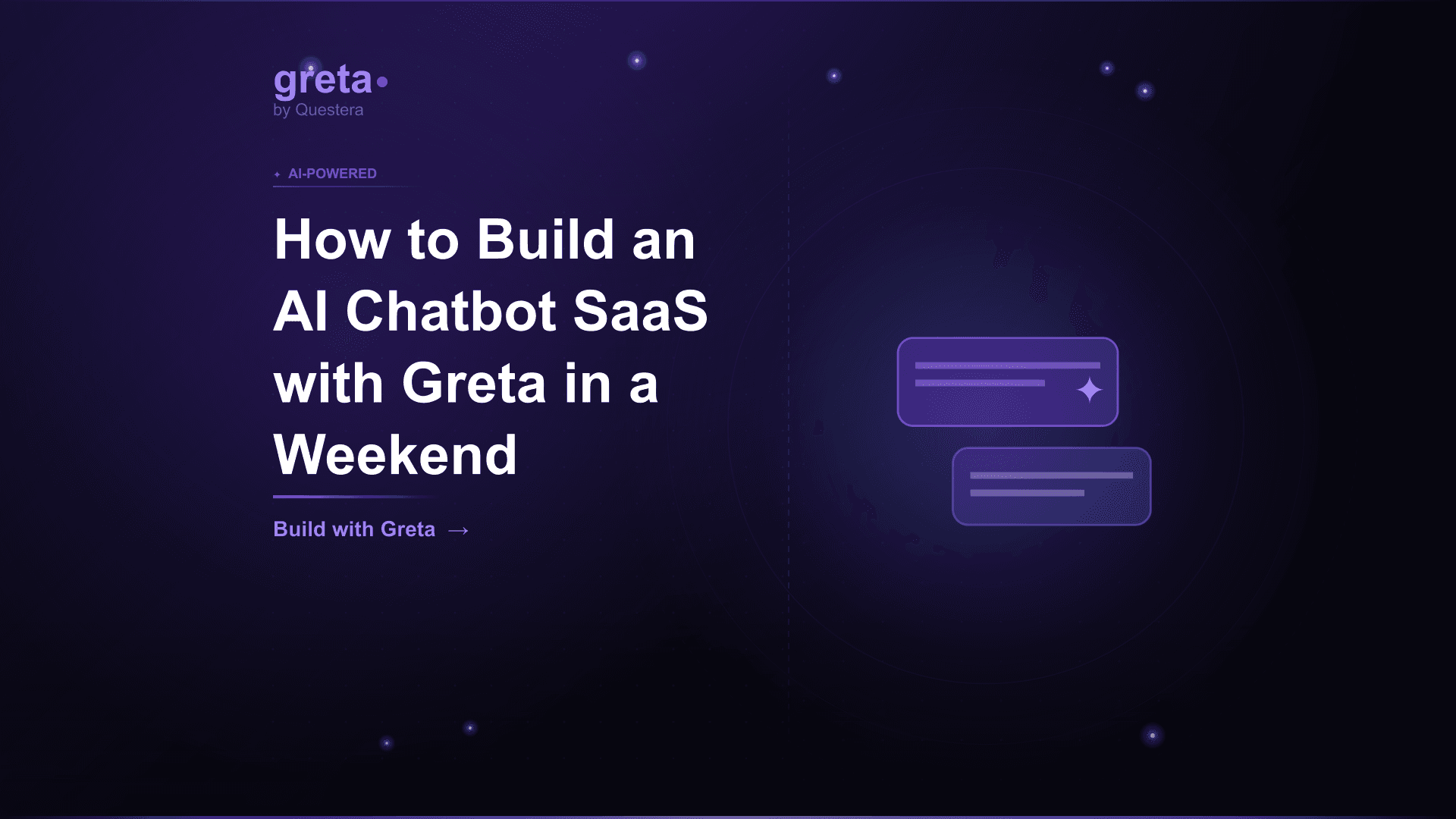
TL;DR: An AI chatbot SaaS is genuinely buildable in a weekend with Greta.sh --- knowledge base ingestion, RAG (retrieval-augmented generation), embeddable widget, subscription billing, basic admin dashboard. The technical work is solved. What's not solved in a weekend: picking a niche that competes against incumbents (Intercom Fin, Drift, Zendesk Answer Bot), getting customers, and the operational discipline that turns weekend project into business. This guide covers the realistic weekend build sequence, the RAG architecture that works, AI cost discipline (chatbots can be expensive), the niche selection patterns, and the honest path from weekend prototype to real revenue.
Introduction
AI chatbots became the showcase use case for the AI builder boom. Build a SaaS that lets customers train a chatbot on their knowledge base, embed it on their website, and reduce support burden. Charge $50--$500/month. Capture the wave of small businesses adopting AI for customer support. The pitch is compelling; the technical work is genuinely simpler than it was 3 years ago.
And yet most weekend chatbot SaaS projects don't become real businesses. The build is the easy part. The hard parts: picking a niche that competes against established players (Intercom Fin, Drift, Zendesk Answer Bot, plus countless other AI chatbot startups), getting paying customers in that niche, managing AI costs that can be unexpectedly high, and the operational discipline that separates weekend project from sustainable revenue.
This guide covers the realistic weekend build. The architecture that works (RAG with embeddings). The Greta.sh-driven build sequence (Saturday: core build; Sunday: polish and launch). The AI cost discipline that determines profitability. The niche selection patterns where indie founders compete successfully in 2026. The honest path from weekend prototype to real revenue.
The honest framing
A chatbot SaaS technical build can happen in a weekend. A chatbot SaaS business takes months. Conflating the two is the trap. The build is solved by AI app builders, embedding APIs, and modern infrastructure. The business --- finding customers in a niche that buys, retaining them, managing AI costs profitably --- is the hard work that doesn't compress with AI tooling.
Treat the weekend build as the first 5% of the work. The other 95% --- niche selection, customer discovery, distribution, operational discipline --- happens after the build ships. Many founders ship the build and stop, treating the project as 'launched.' The actual business hasn't started.
Why niche matters more than ever for chatbot SaaS
- Horizontal chatbot SaaS is crowded (Intercom Fin, Drift, Zendesk Answer Bot, Crisp, dozens of indie tools)
- Differentiation on features alone is hard --- most tools have similar capabilities
- Niche fit (specific industry, specific use case, specific workflow) creates defensible position
- Niche customers have specific pain points horizontal tools don't address well
- Marketing channels are different per niche (industry communities, niche content)
- Pricing power higher in niche (specific value justifies premium pricing)
Got an idea? Build it now!
Just start with a simple prompt. No coding required: Greta.sh turns your idea into a working app in minutes.
Niche opportunities that work for chatbot SaaS
- E-commerce chatbots for Shopify stores (product Q&A, order status, returns)
- Real estate chatbots for property listings (property details, scheduling viewings)
- Legal practice intake chatbots (qualifying potential clients, gathering case info)
- Healthcare practice chatbots (appointment scheduling, FAQ, intake)
- SaaS product documentation chatbots (technical product Q&A)
- Educational institution chatbots (admissions, course info, student services)
- Restaurant chatbots (hours, menu, reservations, dietary questions)
- Local service business chatbots (hours, services, pricing, booking)
- B2B SaaS sales chatbots (qualification, scheduling, pre-sales questions)
- Internal knowledge base chatbots (employee onboarding, IT help, HR questions)
If a chatbot isn't the right fit, our list of AI app ideas groups 11 non-chatbot ideas by what the model actually does.
Core v1 scope
- Customer signup and dashboard
- Knowledge base ingestion (upload PDFs, websites, FAQ pages, text)
- Embedding generation and vector storage
- Chat interface (web-based for testing)
- Embeddable widget (JavaScript snippet customers add to their site)
- RAG (retrieval-augmented generation) for accurate answers
- Conversation history and analytics
- Stripe subscription billing
- Basic customization (chat colors, name, welcome message)
What to skip in v1
- Multi-channel deployment (web widget only v1; Slack/Discord/WhatsApp later)
- Advanced analytics dashboards (basic conversation logs v1)
- AI agent capabilities (tool use, actions) --- deferred to v2
- Custom training (use base models + RAG v1)
- Multi-language detection (English v1; expand based on customers)
- Voice integration
- Mobile native apps
- Team accounts with multiple users (single user v1)
Got an idea? Build it now!
Just start with a simple prompt. No coding required: Greta.sh turns your idea into a working app in minutes.
The RAG architecture
RAG (Retrieval-Augmented Generation) is the standard chatbot architecture in 2026. Don't fine-tune base models for typical chatbot SaaS --- too expensive, slow to iterate. Instead: customer uploads knowledge base; you generate embeddings (vector representations) for each chunk; store in vector database; at chat time, retrieve relevant chunks based on query; pass to LLM with chunks as context; LLM generates answer grounded in the customer's content.
The RAG pipeline
- Ingest: customer uploads content (PDF, website crawl, FAQ document, plain text)
- Chunk: break content into manageable pieces (typically 500--1000 tokens each)
- Embed: generate vector embedding for each chunk (OpenAI embeddings, Cohere, or similar)
- Store: save chunks + embeddings to vector database (pgvector in Supabase, Pinecone, Weaviate)
- Retrieve: at chat time, embed the user's question; find top N most similar chunks (cosine similarity)
- Generate: pass retrieved chunks + question to LLM as context; LLM generates grounded answer
- Cite: optionally show source chunks alongside the answer for transparency
Why RAG over fine-tuning
- Faster iteration (no training time)
- Customer can update knowledge base without retraining
- Lower cost (no fine-tuning fees)
- Better at handling knowledge updates
- Avoids hallucination because answers are grounded in retrieved content
- Standard architecture; well-understood patterns
AI cost discipline
Chatbots can be expensive to run. Each user message triggers: embedding generation for the query, vector search, retrieval of context chunks, LLM call with context. Costs add up. Profitability depends on managing them carefully.
Cost components
- Embedding generation (one-time per chunk; very cheap with OpenAI text-embedding-3-small)
- Vector database (Pinecone $70/month minimum; Supabase pgvector free at small scale)
- Query embedding (cheap; pennies per thousand queries)
- LLM inference (main cost; varies by model)
- Storage for conversations and analytics
Cost optimization patterns
- Use smaller models for simple queries (Haiku, GPT-4o-mini, Llama 3.1 8B)
- Reserve larger models (Opus, GPT-4) for complex queries only
- Semantic caching --- if similar query asked recently, return cached response
- Limit context length sent to LLM (top 3--5 chunks; not top 20)
- Set conversation length limits (don't include entire conversation history beyond N messages)
- Rate limit per customer to prevent runaway costs
- Tiered pricing where higher tiers get larger models or more queries
Pricing implications
- Track cost per active customer weekly
- Set usage limits in lower tiers that maintain margin
- Pricing pattern: $29--$99/month base + usage overage above tier
- Margin target: 60--80% gross margin even after AI costs
- Don't underprice; AI chatbot pricing is genuinely $50+/month at minimum
The weekend build sequence
Saturday morning (3--4 hours): Core build
- Hour 1: PRD (niche, customer profile, AI cost targets, pricing)
- Hour 2: Data model (Customer, KnowledgeBase, Chunk, Conversation, Message)
- Hour 3: Authentication setup (Supabase Auth)
- Hour 4: Customer dashboard skeleton
Saturday afternoon (4--5 hours): RAG pipeline
- Hour 5--6: Knowledge base upload (PDF parsing, website crawling, text input)
- Hour 7: Embedding generation pipeline (OpenAI text-embedding-3-small)
- Hour 8: pgvector setup in Supabase for vector storage
- Hour 9: Retrieval logic (top-K similarity search)
Saturday evening (3--4 hours): Chat interface
- Hour 10: Chat UI for testing in customer dashboard
- Hour 11: LLM integration (Claude or GPT-4 with retrieved context)
- Hour 12: Conversation history storage
- Hour 13: Source citation display
Sunday morning (3--4 hours): Embed widget and billing
- Hour 14: Embeddable widget (JavaScript snippet)
- Hour 15: Widget customization (colors, name, welcome message)
- Hour 16: Stripe subscription integration
- Hour 17: Pricing tier enforcement (usage limits)
Sunday afternoon (3--4 hours): Polish, launch, customer
- Hour 18: Onboarding flow (signup → upload knowledge → test chat → install widget)
- Hour 19: Landing page with positioning for chosen niche
- Hour 20: Soft launch --- share with 5 friendly potential customers
- Hour 21: Iterate based on initial feedback
Got an idea? Build it now!
Just start with a simple prompt. No coding required: Greta.sh turns your idea into a working app in minutes.
The embeddable widget
Architecture
- Customer copies JavaScript snippet from their dashboard
- Snippet includes their unique chatbot ID
- Embeds widget on their website
- Widget loads via your CDN (Vercel/Cloudflare)
- Widget connects to your chat API authenticated by chatbot ID
- Cross-origin handling for the widget to work across domains
Widget customization
- Primary color matching customer's brand
- Position (bottom-right, bottom-left)
- Bot name and avatar
- Welcome message
- Theme (light/dark)
- Mobile responsive
Going from weekend project to business
Week 1: Get 5 customers in your niche
- Direct outreach to 50+ potential customers in your niche
- Offer free trial or first-month-free
- Get them set up personally (white-glove onboarding)
- Watch them use it; iterate based on real usage
- Measure: do they actually use it? Does it reduce their support burden?
Month 1: Refine product based on customer feedback
- What features are missing that customers need?
- What's confusing in the onboarding?
- What's the actual value vs perceived value?
- Adjust pricing based on customer feedback
- Build the integrations customers specifically request
Months 2--3: Distribution and scaling
- Content marketing in your niche (blog posts, case studies)
- Niche community engagement (Discord, Slack groups, subreddits)
- Partnership outreach (agencies serving your niche, complementary tools)
- Paid acquisition experiments (small budgets to test channels)
- Referral program (existing customers refer others in their network)
Months 4--6: Operational discipline
- Customer success workflows
- Churn investigation and prevention
- Cost discipline (AI margins, infrastructure)
- Documentation and knowledge base
- Support response times
Common Mistakes Building Chatbot SaaS
- Treating launch as the end --- Launch is the start. The 95% of work happens after launch.
- Skipping niche selection --- Horizontal chatbot SaaS competes with Intercom Fin, Drift, dozens of indie tools. Pick niche.
- Underestimating AI costs --- Chatbot AI costs add up. Track from day 1; manage carefully.
- Using expensive models for everything --- Most queries handle fine with smaller/cheaper models. Reserve large models for complex queries.
- No conversation length limits --- Long conversations send entire history to LLM. Costs explode. Set limits.
- Pricing too low --- $9/month chatbot SaaS can't sustain AI costs profitably. $50+/month is realistic minimum.
- Skipping semantic caching --- Repeated similar questions hit LLM unnecessarily. Cache.
- No rate limiting --- One abusive customer can run up costs. Rate limit per customer.
- Treating chatbot as fully autonomous --- Set expectations clearly. Bots don't replace human support entirely.
- Skipping the harden phase --- Production chatbot SaaS needs security review, abuse prevention, operational monitoring.
- Building features customers don't ask for --- Refining based on assumptions vs customer feedback. Talk to customers.
- No feedback mechanism --- Add thumbs up/down to responses. Use feedback to improve.
- Ignoring hallucination potential --- RAG mitigates but doesn't eliminate. Set up monitoring; humans should review samples.
- Selling features instead of outcomes --- Customers buy reduced support burden, not 'AI-powered chat technology.' Lead with outcomes.
Got an idea? Build it now!
Just start with a simple prompt. No coding required: Greta.sh turns your idea into a working app in minutes.
Frequently Asked Questions
Q1: Can I really build this in a weekend? The core technical build, yes. A real business that produces revenue, no --- that takes months. Don't confuse the two. Build the prototype in a weekend; spend months on niche selection, customer development, and operational discipline.
Q2: Should I use Claude, GPT, or another model? All work. Claude (Haiku, Sonnet, Opus) is strong for grounded chat with low hallucination. GPT-4o-mini and GPT-4 are mature. Llama via Groq for cheaper inference. Most chatbot SaaS use one primary model with fallback to cheaper for simple queries. Pick based on cost, quality, and availability.
Q3: Do I need a separate vector database? Not necessarily. Supabase pgvector handles vector search for small-to-medium scale. Above 1M+ vectors or specific performance needs, consider Pinecone or Weaviate. Most indie chatbot SaaS start with pgvector and migrate later if needed.
Q4: How accurate are RAG chatbots? Depends on knowledge base quality. Well-organized knowledge base + good chunking + appropriate top-K retrieval produces 90%+ accuracy for in-scope queries. Hallucination on out-of-scope queries is the risk; mitigate by detecting low-similarity queries and refusing to answer.
Q5: What about voice integration? Defer. Voice adds complexity and cost. Most chatbot SaaS start text-only; add voice in v2 if customers specifically request it.
Q6: How do I handle competitive horizontal players? You can't directly. Don't compete on features against Intercom Fin or Drift. Compete on niche fit, vertical-specific workflows, and pricing for small businesses. Find the customers horizontal players serve poorly.
Q7: What about compliance (GDPR, HIPAA)? Standard chatbot SaaS handles GDPR with appropriate privacy policy and data handling. HIPAA-regulated industries (healthcare) require specific compliance --- separate tier, BAA agreement, careful data handling. Don't enter HIPAA-regulated industries casually.
Conclusion
- AI chatbot SaaS technical build genuinely happens in a weekend with Greta.sh. Knowledge ingestion, RAG, embed widget, billing --- all buildable in 16--20 hours of focused work.
- The business isn't built in a weekend. Niche selection, customer development, operational discipline, AI cost management --- these take months. Don't conflate the two.
- AI cost discipline matters. Chatbots can be expensive. Smaller models for simple queries, semantic caching, conversation length limits, tiered pricing with usage limits.
- Niche fit beats horizontal competition. Don't compete with Intercom Fin or Drift directly. Pick a specific niche (e-commerce, real estate, legal, healthcare, restaurants, etc.) where horizontal players serve poorly.
If chatbot SaaS interests you, pick your niche this week. Spend Saturday on the technical build. Spend Sunday polishing and reaching out to 5 potential customers in your niche. Then spend the next 3 months on the real work --- customer development, refining product based on feedback, distribution, operational discipline. The weekend build is the first 5%; the business is the other 95%. Treat the build as the start, not the finish. Niche fit + customer empathy + AI cost discipline = the path from weekend project to real revenue.