Quick answer
Never let a file pass through your own server. The right pattern is a signed URL: your backend asks the storage provider for a short-lived permission slip, the browser uploads straight to that provider, and your server only ever sees the file's final path and metadata. Do it any other way and you've built a slow, memory-hungry upload endpoint that falls over the first time someone tries to send a 200MB video.
Why "just accept the file on your server" breaks
Most people's first instinct is the simplest one: add a form field, post it to an API route, write the bytes to disk or a database column. It works in a demo. Upload a profile picture, see it render, ship it.
Then someone uploads a 40MB PDF. Your serverless function has a payload limit — often 4.5MB, sometimes less — and the request just fails, no useful error, just a timeout or a 413. Or it succeeds, but now your server process is holding the entire file in memory while it re-uploads it somewhere else, which is fine for one user and a real problem for fifty concurrent ones.
I've watched teams debug this for hours assuming it's a bug in their code. It isn't. It's an architecture problem: the server was never supposed to be in the middle of that transfer.
The tell that you're doing it wrong
If your API route's job includes the word "receive" and "forward" in the same sentence — receive the file, forward it to storage — you've added a hop that doesn't need to exist and a bottleneck that scales with your traffic instead of your storage provider's.
The pattern that actually scales
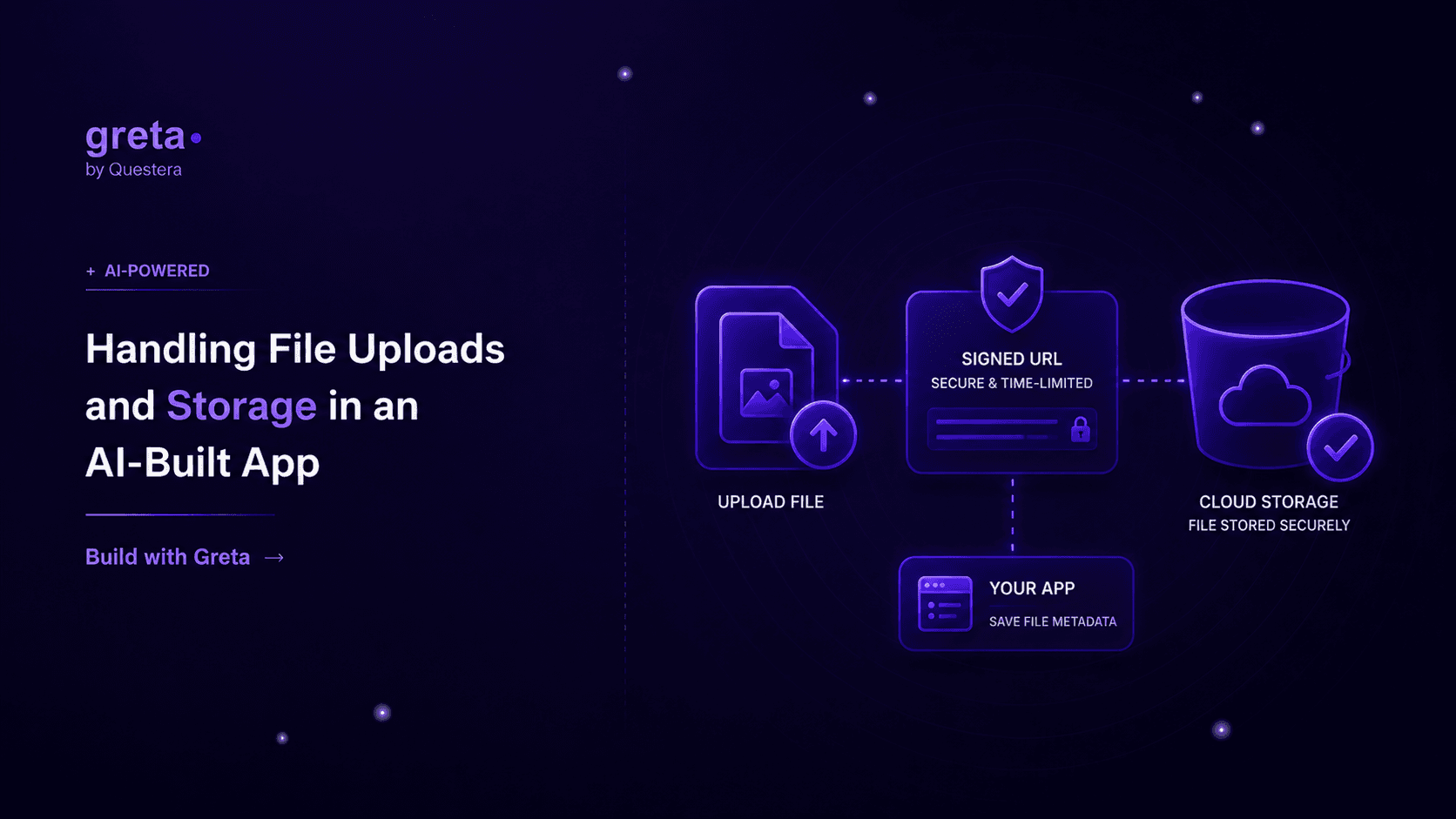
A working upload flow has three steps, and none of them route the file through your application server.
Step one — request a signed URL. The browser tells your backend "I want to upload a file called invoice.pdf, it's a PDF, roughly 2MB." Your backend checks whether this user is even allowed to upload here, then asks the storage provider (S3, Supabase Storage, Cloudflare R2 — whichever one you're on) for a pre-signed URL scoped to exactly that file, valid for a few minutes.
Step two — upload directly. The browser uses that URL to PUT the file straight to storage. Your server isn't touched during this part at all. A 500MB video takes the same server resources as a 5KB thumbnail: zero.
Step three — confirm and record. Once the upload finishes, the browser (or a storage webhook, if the provider supports one) tells your backend "it's done, here's the final path." Your backend writes that path to the database, runs any validation you couldn't do beforehand, and the file is now part of your app's data.
This is the same shape whether you're storing user avatars or handling bulk CSV imports — only the validation step changes.
Got an idea? Build it now!
Just start with a simple prompt. No coding required: Greta.sh turns your idea into a working app in minutes.
What "validation you couldn't do beforehand" actually means
A signed URL locks down the file name and rough size, but it can't inspect content it hasn't seen yet. That's where a second layer matters: after the upload lands, check the actual file type by its bytes (not the extension a user typed), reject anything that doesn't match what was declared, and cap total storage per account so one user can't quietly fill your bucket. None of this is exotic — it's a few lines in the confirmation step — but skipping it is how apps end up serving a .exe renamed to .jpg.
A comparison: proxied uploads vs. direct-to-storage
| Concern | Server-proxied upload | Direct-to-storage (signed URL) |
|---|---|---|
| Max practical file size | Limited by function payload caps (often ~4.5MB) | Limited only by the storage provider (multi-GB) |
| Server load during upload | Scales with concurrent uploads | Effectively zero — server isn't in the transfer path |
| Time to first byte on large files | Slow — server buffers, then forwards | Fast — direct connection to storage's CDN edge |
| Complexity to set up | Lower at first (one endpoint) | Slightly more (signed-URL request + confirm step) |
| Where it breaks | The moment file sizes or concurrency grow | Rarely — this is how production apps at scale actually do it |
Where this lives in a Greta.sh-built app
Because Greta.sh scaffolds a Next.js app with Prisma and cloud storage wired in from the start, the signed-URL pattern isn't extra infrastructure you bolt on later — it's the default shape of an upload feature. A route like app/api/uploads/sign/route.ts handles the permission check and asks storage for the signed URL; a documents or attachments table in the Prisma schema stores the final path, content type, and owner once the upload confirms. The image transforms and CDN delivery that make thumbnails load fast are handled by the storage layer, not something you write from scratch.
That matters for anything with real file volume — a CRM where every contact has attached documents, a marketplace where every listing has photos, an internal tool where someone's uploading a weekly spreadsheet. The pattern doesn't change; only the file types and validation rules do.
Got an idea? Build it now!
Just start with a simple prompt. No coding required: Greta.sh turns your idea into a working app in minutes.
FAQ
Can I just store files in my database as a blob column? You can, and for a handful of small files it won't break anything visibly. But database storage is expensive per gigabyte compared to object storage, backups get slower as the blob table grows, and you lose the CDN delivery that makes images and videos load fast. Use the database for the file's metadata and path, not the bytes themselves.
What about file size limits for free users vs. paid ones? That's a business rule, not a technical one — check it in the "request a signed URL" step, before the upload even starts, so a user over their quota gets a clear message instead of a wasted upload.
Do I need virus scanning? For a consumer app where users upload their own files for their own use, usually not on day one. For anything where one user's file is later opened by a different user — a shared workspace, a support ticket attachment — yes, and that scan should happen as part of the confirmation step before the file is marked available to anyone else.
How do I handle image resizing for different screen sizes? Most storage providers or CDNs in front of them support on-the-fly transforms via URL parameters — request the same image at different widths and let the edge handle resizing and caching, rather than generating and storing five versions of every upload yourself.
Closing
File uploads look like a solved problem right up until someone sends a real file — a video, a batch of scanned invoices, a design file that's actually 80MB. Build the signed-URL pattern from the start and that day is a non-event. Skip it, and it's a production incident with your name on the postmortem.