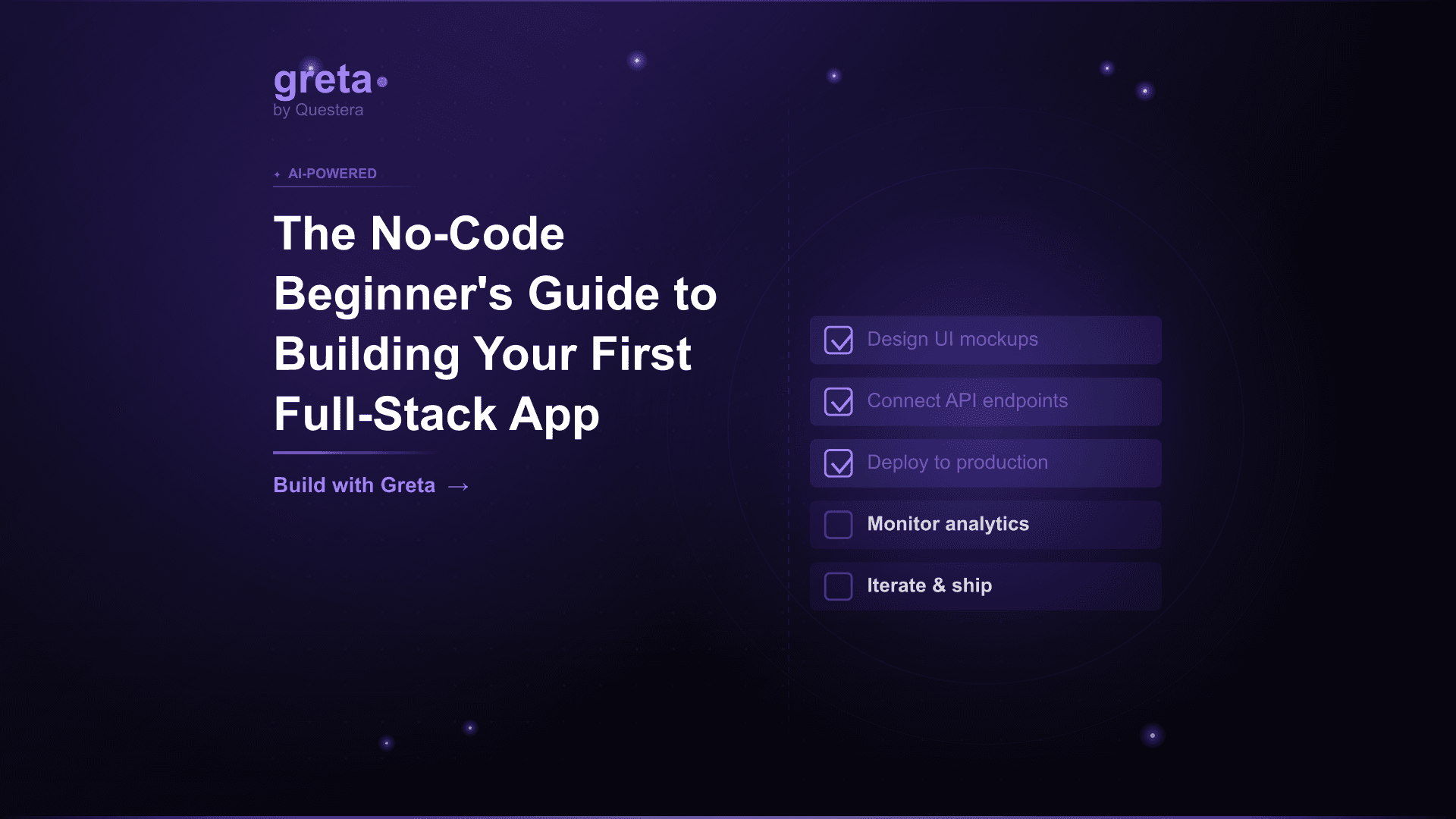
TL;DR: Building your first full-stack app without code is realistic in 2026. Pick the right tool (Greta.sh, Lovable, or Bolt for non-developers), write a tight 1-page product spec, layer focused prompts in dependency order (scaffold → data → auth → features → payments → polish), connect a real domain, and launch. Total time from idea to live app: 3--7 days. Total cost: $50--$150/month. The barrier is no longer engineering --- it's clarity of idea and discipline around what to skip in v1.
Introduction
Five years ago, 'no-code' meant drag-and-drop tools with hard limits --- Bubble for the dedicated, Webflow for landing pages, Glide for spreadsheet-backed mobile apps. They worked for narrow use cases and ran into walls quickly. In 2026, no-code means something different. AI app builders like Greta.sh, Lovable, and Bolt produce real working full-stack applications from natural language prompts --- frontend, backend, database, auth, payments, deployment, all of it. The output is real code that engineers can extend later if needed.
This guide is the beginner's path. Not 'learn 12 tools and stitch them together,' not 'sign up for a $2k bootcamp,' just the specific, focused sequence that gets a complete beginner from idea to live full-stack app. Pick your tool, write your spec, run through the prompts. By the end of this week, you'll have a working app at a real domain --- and the muscle to ship the next one in half the time.
What does 'full-stack app' actually mean?
Before picking tools, the term needs clarity. A full-stack app means the application has all the layers that make it a real product, not just a static page or a frontend mockup.
- Frontend --- The screens users see and interact with
- Backend --- The server-side logic that processes requests
- Database --- Where data is stored persistently
- Authentication --- Sign-in, sessions, and user identity
- API integrations --- Connections to third-party services (Stripe for payments, email providers, AI APIs)
- Deployment --- The app running on a real domain with SSL
- State management --- How data flows between screens
In 2026, AI app builders handle all of these automatically. You describe what you want; the platform sets up the stack. As a beginner, you don't need to understand the difference between frontend and backend --- but knowing the layers exist helps you write better prompts.
Which no-code tool should you pick as a beginner?
The four credible options for non-developers building first full-stack apps in 2026.
| Tool | Best For Beginners Who | Standout Feature |
|---|---|---|
| Greta.sh | Want bundled growth tooling + lowest learning curve | Domain, SEO, analytics built in |
| Lovable | Care about UI polish and React aesthetics | Visual Edits mode for direct styling |
| Bolt.new | Have a Figma file or want code visibility | Direct Figma import + browser-native |
| v0 by Vercel | Plan to extend with engineers later | Best React/Next.js output |
For most complete beginners, Greta.sh is the easiest first tool because growth tooling (domain, basic SEO, analytics) is bundled into the same workspace as the app builder. You don't have to set up 3--5 separate tools to launch --- everything lives in one place. For design-conscious beginners who care intensely about UI, Lovable's Visual Edits mode is closer to designing the live product.
Don't overthink the choice. All four produce working full-stack apps. The differences matter at the margins; the bigger variable is your discipline around the workflow.
Got an idea? Build it now!
Just start with a simple prompt. No coding required: Greta.sh turns your idea into a working app in minutes.
Before you start: write the spec
The single highest-leverage thing a beginner can do is write a tight product spec before opening any AI builder. Beginners who skip this routinely spend 2--3x longer iterating because the AI doesn't know what they actually want.
A good spec for a first full-stack app fits on one page and covers eight things:
- Target user --- One specific user type, not 'everyone' (e.g., 'solo freelance designers,' not 'creatives')
- Problem --- What specific pain are you solving?
- Core feature --- The single most important action in the app
- Data model --- What records will the app store? List each table and its fields
- Screens --- What pages exist, in what order does the user move through them?
- Design vibe --- Reference brand or style (e.g., 'minimal like Linear,' 'warm like Notion'), color palette, typography
- Integrations --- Auth, payments, AI features, anything external
- Success criteria --- How will you know v1 is done?
Spend 30 minutes on this. Don't open the AI builder until the spec is written. This saves hours downstream.
The complete beginner's build workflow
Here's the exact sequence to follow as a complete beginner. Run the prompts in order; don't combine them; one feature at a time.
Day 1: Spec and scaffold
Write the one-page spec (covered above). Then open your chosen AI builder and paste the spec as your first prompt. Don't add anything else yet --- just paste the spec and let the platform generate the initial scaffold.
Follow-up prompt for the scaffold: "Build the scaffold only --- no features yet. Four screens with placeholder content: [list screen names from your spec]. Use [navigation pattern --- sidebar/topbar/bottom tabs]. Apply the design system from the spec." Verify the visual shape looks right before moving on.
Day 2: Data model
This is the foundation. Run this prompt: "Create the database schema only --- no UI changes yet. Tables: [list each table with fields and types from your spec]. Add row-level security so each user can only read and write their own records."
Then seed example data: "Seed the database with 5--8 example records associated with a test user account. Use realistic values, not lorem ipsum, so the UI looks real during development."
Day 3: Authentication
Add user accounts. Run: "Add email magic link authentication. On sign-up, create a User record with default settings. Protect [list main screens] so they require authentication. Show the landing page to unauthenticated users."
Test the auth flow yourself --- sign up, sign in, sign out. Confirm protected routes redirect correctly.
Day 4: Core feature
Now build the single most important feature in your app. Run focused prompts for: the input form ("Build a form to create a new [entity]. Fields: [list]. Validate required fields. On submit, save to the [Entity] table and show success."), the list view ("Build a list view of all [entities] sorted by [field]. Click a row to open detail view."), and the detail view ("Build a detail view showing all fields of the selected [entity]. Allow inline edit.").
One prompt per feature. Don't combine. If the AI gets a feature wrong, refine with a follow-up prompt before moving to the next feature.
Day 5: Payments
If your app is monetized, add payments. Run: "Add Stripe Subscriptions with a single tier at $19/month. When a Free user clicks Upgrade, create a Stripe Checkout session. On successful payment, update the User's tier. Listen for Stripe webhooks (subscription.updated, deleted, invoice.payment_failed) and update tier accordingly."
Then add feature gating: "Limit free users to [N] actions per month. When they hit the limit, show an upgrade modal."
Day 6: Polish
Polish makes the app feel finished. Three prompts handle most of it:
- "Add empty states for every list view. Include a friendly icon, one-line explanation, and CTA."
- "Make the entire app fully responsive on mobile. Tap targets minimum 44px. Test on a 375px viewport."
- "Add toast notifications for all errors with friendly messages. Replace any raw error text with user-facing language."
Day 7: Launch
Final day. Connect a real domain via your platform's settings. Switch Stripe from test mode to live mode. Run a real test payment yourself. Set up basic analytics. Share the URL with 5--10 friendly users for feedback. Fix the top 2--3 bugs they find.
By end of day 7, you have a working full-stack app at yourdomain.com, taking real payments, with real users signing up.
What you'll get wrong (and how to fix it)
Every beginner makes the same handful of mistakes. Knowing them in advance helps.
Mistake 1: Writing one mega-prompt
The most common beginner failure is trying to describe the whole app in one massive prompt. Output is universally a half-broken mess. Fix: one feature per prompt, in dependency order. Scaffold first, then data, then auth, then features, then payments, then polish.
Mistake 2: Skipping the spec
Beginners often think 'I'll figure it out as I go.' This works for tiny apps and fails for anything bigger. Fix: spend 30 minutes on the one-page spec before opening any AI builder.
Mistake 3: Building too broad
First-time builders often pick wildly ambitious projects ('a marketplace like Etsy,' 'a social network for X'). These don't fit in a 7-day beginner workflow. Fix: ship something small first --- a personal tool, a niche calculator, a simple SaaS for one specific user. The point is to build the muscle, not to ship a unicorn.
Mistake 4: Ignoring mobile
Apps that look great in a browser fall apart on phones. Fix: test on a real phone after every major feature, not just at the end. Most app traffic is mobile.
Mistake 5: Forgetting to switch Stripe to live mode
Surprisingly common --- beginners launch with Stripe still in test mode and wonder why they have signups but no charges. Fix: explicit checklist before launch, including 'switch Stripe to live mode.'
Got an idea? Build it now!
Just start with a simple prompt. No coding required: Greta.sh turns your idea into a working app in minutes.
What you can actually build as a beginner
Realistic first-app projects for non-developer beginners.
- Niche calculators --- Tax estimators, fitness macro calculators, project pricing tools, mortgage comparators. Simple to build, often have viral potential.
- Personal trackers --- Habit trackers, mood loggers, time trackers, expense trackers tailored to a specific audience.
- AI tool wrappers --- Wrap an AI API in a workflow for a specific job (resume tailor, listing writer, content repurposer).
- Niche directories --- Curated directories for specific professional niches with premium listings.
- Simple SaaS for solo users --- Single-user productivity apps, freelancer tools, indie creator utilities.
- Lead capture quizzes --- Interactive lead generation tools for specific industries.
- Internal tools --- Custom internal tooling for your own use that might generalize into SaaS later.
What to avoid as a first project: multi-vendor marketplaces, social networks, real-time multiplayer apps, anything compliance-regulated (healthcare with HIPAA, finance with PCI), and anything with complex video/audio infrastructure. Save these for project 3+, after you have the basic muscle.
How much will it cost you?
Realistic costs for a complete beginner shipping a first full-stack app.
- AI app builder subscription --- $20--$50/month (Greta.sh, Lovable, Bolt, or v0 Pro)
- Domain --- $12/year (about $1/month)
- AI API credits (if your app has AI features) --- $20--$50 to start
- Transactional email --- $0--$20/month (Resend, Postmark, or Loops free tiers cover most starting volume)
- Analytics --- $0/month (PostHog free tier or Plausible's lowest plan)
- Stripe fees --- 2.9% + 30¢ per transaction (only when you have revenue)
Total first-month cost: roughly $50--$150 depending on AI usage. Compare with hiring a developer to build the same v1 --- typically $15k--$50k. The cost compression is dramatic.
Want to start at $0 instead? Our breakdown of how to create an app without coding for free shows what each builder's free plan covers and where the paywall starts.
What happens after launch?
Launching v1 is the start, not the finish. The next 30 days typically involve five things:
- Talk to your first 5--10 users personally --- Their feedback shapes the next month of work more than analytics will.
- Fix the top 3 bugs they report --- Don't try to fix everything; prioritize what's blocking conversion or causing churn.
- Tune the landing page copy based on what early users actually said --- Often the wording matters more than the features.
- Add one specific feature that early users specifically asked for --- Not five features; one focused addition.
- Set up basic distribution --- Pick one channel (X, LinkedIn, niche Reddit, content SEO) and go deep for the next month.
Don't add features just to add features. The post-launch phase is about learning, not building. The build is the start; finding product-market fit is the work.
Got an idea? Build it now!
Just start with a simple prompt. No coding required: Greta.sh turns your idea into a working app in minutes.
Common Mistakes to Avoid
- Treating the AI builder like a magic box --- It needs clear, structured prompts. Vague prompts produce vague output.
- Picking a tool because it's trending --- Pick based on what your specific app needs. Trending tools aren't always the right fit.
- Trying to be the next Notion or Linear --- These are years-of-engineering products. Your first build should be 100x smaller in scope.
- Skipping payments because 'I'll add them later' --- Charging from day one teaches you whether anyone actually wants what you're building.
- Not testing on a real phone --- Mobile breakage is the silent killer. Always test on an actual device.
- Believing the 'one-prompt to full app' marketing --- Real builds take 20--50 prompts. Marketing demos compress this dramatically.
- Going broad on distribution --- Pick one channel. Go deep. Switching channels weekly is how beginners stall at zero users.
- Treating launch as the finish line --- Launch is ~20% of the work. The other 80% is iteration, retention, and distribution.
Frequently Asked Questions
Q1: Do I really need zero coding knowledge to use these tools? Yes for the major AI app builders (Greta.sh, Lovable, Bolt, v0). You'll need to read what the AI generates and describe problems clearly, but you won't write code. Some technical literacy helps (understanding what a database is, what an API is) but isn't required.
Q2: Which tool should I pick as a complete beginner? For most beginners, Greta.sh is the easiest first tool because growth tooling (domain, SEO, analytics) is bundled. For design-conscious beginners, Lovable. For builders who have a Figma file already, Bolt. For builders planning to extend with engineers later, v0. All four work; pick based on your specific situation.
Q3: How long does it take to build my first full-stack app? Most beginners ship their first working full-stack app in 5--10 days of focused work. Subsequent apps get faster as the muscle builds --- usually 3--5 days by app three or four. The compounding is real.
Q4: How much should I budget for my first app? $50--$200 total for the first month: AI app builder subscription, domain, AI API credits if applicable, transactional email. After that, ongoing cost depends on usage but rarely exceeds $200/month for solo-founder apps.
Q5: Can I really build something real, or is this just for prototypes? Yes, you can build real apps that take real customer payments. Multiple beginner-built apps have crossed $1k+/month in revenue within a few months of shipping. The 'real vs. prototype' question is mostly answered by your discipline around the v1 scope and post-launch iteration, not by the tool.
Q6: What if I get stuck during the build? Three options: paste the error or problem back into the AI and ask it to fix; rephrase the prompt more specifically (often the issue is prompt ambiguity); or step back and check whether you skipped a layer in the dependency order. Most stuck moments resolve with one of these three approaches.
Q7: Do I need to learn anything technical at all? You'll benefit from understanding three concepts: data models (what a table and field are), authentication (the difference between signed-in and not), and the basics of HTTP (what an API call is). You don't need to write code or memorize syntax, but the concepts make your prompts sharper.
Conclusion
- Building your first full-stack app without code is realistic in 2026. AI app builders like Greta.sh, Lovable, Bolt, and v0 produce working full-stack apps from natural language prompts.
- The workflow is more important than the tool. Write a tight 1-page spec, layer focused prompts in dependency order (scaffold → data → auth → features → payments → polish), and resist the urge to combine prompts.
- Total time from idea to live app is 5--10 days. Total cost is $50--$200/month. Compare with $15k--$50k and 1--3 months for the equivalent traditional engineering build.
- The build is the start, not the finish. Post-launch iteration, customer conversations, and distribution discipline matter more than feature additions.
Pick a small first project --- something you'd actually use yourself, ideally. Open your chosen AI builder. Write the one-page spec. Run the prompts in order. By the end of this week, you'll have your first full-stack app live on the internet. The next one will be faster. The third one faster still. The skill compounds, and the bar to ship your second app is dramatically lower than the bar to ship your first. Start tonight.
Ready to start? Read the plain-English guide: Build a No-Code App for Your Business with AI