Quick answer
Don't send transactional email straight from your request handler with a hardcoded SMTP call. Use a dedicated email API (Resend, Postmark, SES), authenticate your sending domain with SPF, DKIM, and DMARC before you ship, and push the actual send onto a queue so a slow email provider never holds up the signup or checkout flow that triggered it.
Why "just call sendEmail() in the route" breaks
It starts innocently. A user signs up, your API route creates the account, then calls out to an email provider to fire off a welcome message, all in the same request. It works the first ten times you test it.
Then your email provider has a slow minute — providers do, even good ones — and that same request now takes six extra seconds because your server is sitting there waiting for a 202 response it doesn't actually need synchronously. Or worse: the account gets created, the email call throws, and your error handling rolls back nothing, so the user has an account but never got a confirmation link. They assume signup failed and try again.
I've seen this exact bug in three different codebases. Nobody wrote it on purpose. It's just what happens when "send an email" gets treated like a database write instead of what it actually is: a call to a third-party service you don't control, that can be slow, can fail, and shouldn't be allowed to block anything the user is waiting on.
The tell that you're doing it wrong
If a password reset, a receipt, or a welcome email is sent by code sitting directly inside the same function that handles the user's request, you've coupled your app's uptime to your email provider's uptime. That's backwards — one of these two things should be able to have a bad day without taking the other down.
The pattern that actually holds up
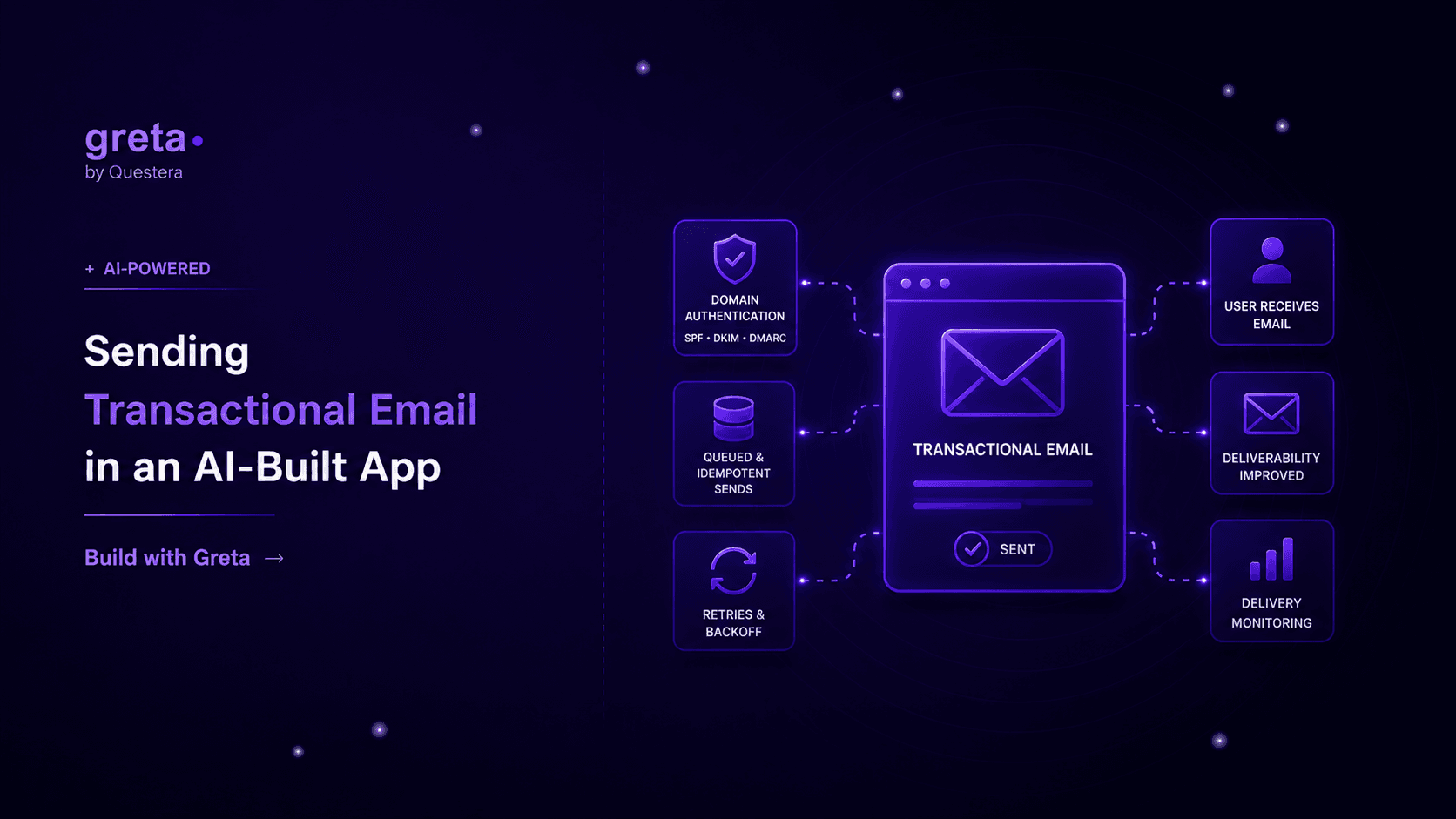
A transactional email setup that survives contact with real traffic has three things working together, and none of them are exotic.
Domain authentication, done before you send a single real email. SPF and DKIM tell receiving mail servers that your app is actually allowed to send as you@yourdomain.com. DMARC tells them what to do if that check fails. Skip this and your first hundred emails land in spam, full stop — Gmail and Outlook don't give unauthenticated senders the benefit of the doubt anymore. This is a one-time DNS setup, maybe twenty minutes, and providers like Resend and Postmark walk you through the exact records to add.
A queue between "something happened" and "email sent." The signup handler doesn't call the email API — it writes a job (send-welcome-email, userId: 123) somewhere durable, and a separate worker picks it up and sends it. If the email provider is down for two minutes, the job just waits and retries. The user's signup request already returned 200 and moved on.
Idempotency on the send itself. Retries are good until a job runs twice and the same customer gets two "your payment failed" emails four minutes apart. Attach a unique key to each job — an order ID, a password-reset token — and check it before sending so a retried job that already succeeded is a no-op, not a duplicate.
Got an idea? Build it now!
Just start with a simple prompt. No coding required: Greta.sh turns your idea into a working app in minutes.
Transactional and marketing email are not the same problem
It's tempting to route everything — welcome emails, weekly digests, password resets — through one system. Don't. A password reset needs to land in under a minute or the user has already given up and clicked "resend." A weekly digest can wait an hour and nobody notices. Mixing them on the same sending domain is also a deliverability risk: if your marketing emails get flagged for spam complaints, you don't want that hurting the domain reputation your password resets depend on. Most teams end up with a transactional subdomain (mail.yourapp.com) kept separate from whatever sends the newsletter.
A comparison: inline send vs. queued send
| Concern | Inline send from the route | Queued send with a worker |
|---|---|---|
| User-facing latency | Tied to the email provider's response time | Unaffected — request returns immediately |
| Behavior when provider is down | Request fails or hangs | Job waits, retries automatically |
| Risk of duplicate emails | High on any retry logic upstream | Low, if the job carries an idempotency key |
| Setup complexity | Lower at first (one API call) | Slightly more (a queue and a worker) |
| Where it breaks | The first time the provider has a slow day | Rarely — this is the pattern real inboxes see |
Where this lives in a Greta.sh-built app
Since Greta.sh scaffolds background jobs as a first-class part of the stack — the same queued-work pattern covered in running background jobs and scheduled tasks — wiring in transactional email means adding a job type, not building a queue from nothing. A route like app/api/webhooks/postmark/route.ts can even handle bounce and complaint events the same way it handles any other inbound webhook, the pattern we walked through for signature verification and idempotent handling in connecting webhooks and third-party APIs.
The email templates themselves — password reset, receipt, invite — live as small, testable functions that take data and return HTML, so you can preview and adjust copy without touching the send logic at all.
Got an idea? Build it now!
Just start with a simple prompt. No coding required: Greta.sh turns your idea into a working app in minutes.
FAQ
Which email provider should I actually use? For a new app, Resend or Postmark are both solid — clean APIs, good deliverability out of the box, reasonable free tiers. SES is cheaper at real volume but you do more of the deliverability work yourself. Pick one, authenticate the domain properly, and don't overthink the choice beyond that.
Do I need a queue on day one, even as a solo founder? Not necessarily for your first fifty users, but the moment you have real signups, a slow provider response becomes a slow signup for a real person. It's a small amount of setup to add before it matters, versus a stressful one to add after a support ticket about a stuck registration flow.
How do I stop transactional emails from going to spam? Authenticate the domain (SPF, DKIM, DMARC), keep transactional and marketing traffic on separate subdomains, and send from an address people recognize — no-reply@ addresses hurt engagement, which then hurts deliverability. Warm up a new sending domain gradually instead of blasting volume from day one.
What about emails that absolutely must send in real time, like a magic-link login? Those can still go through the queue — a well-run worker picks up a job within a second or two, which is fast enough that the user won't notice the extra hop, and you keep the same reliability guarantees instead of making an exception that becomes the one code path nobody remembers to fix later.
Closing
Email feels like the easiest integration in the whole app — one API call and you're done. It's also the integration most likely to quietly fail in a way nobody notices until a customer says "I never got my receipt." Authenticate the domain, queue the send, make it idempotent, and it becomes one of the most boring, reliable parts of your stack instead of the one you're afraid to touch.