Learn how to change the name of your project on Greta.
1. Log in to Greta
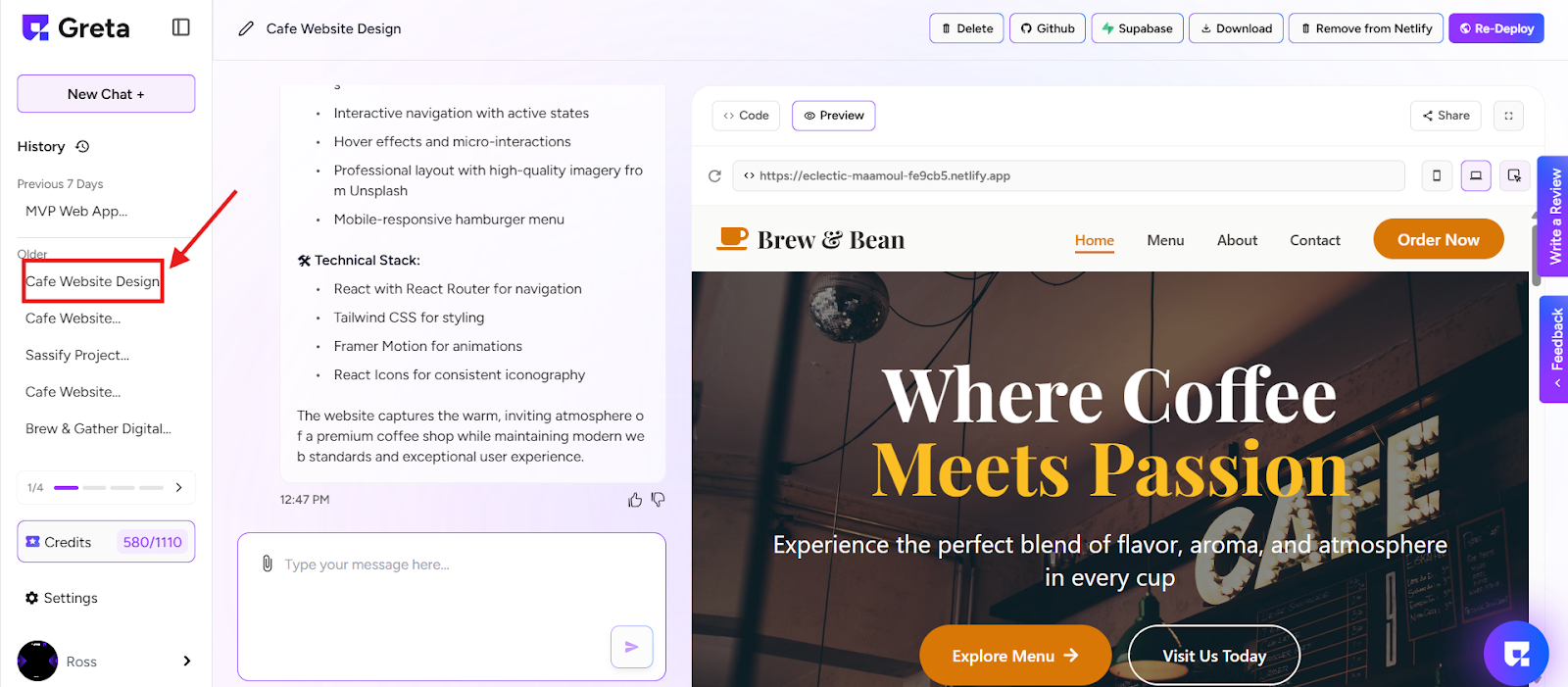
2. Create a new project or open an existing one from the history
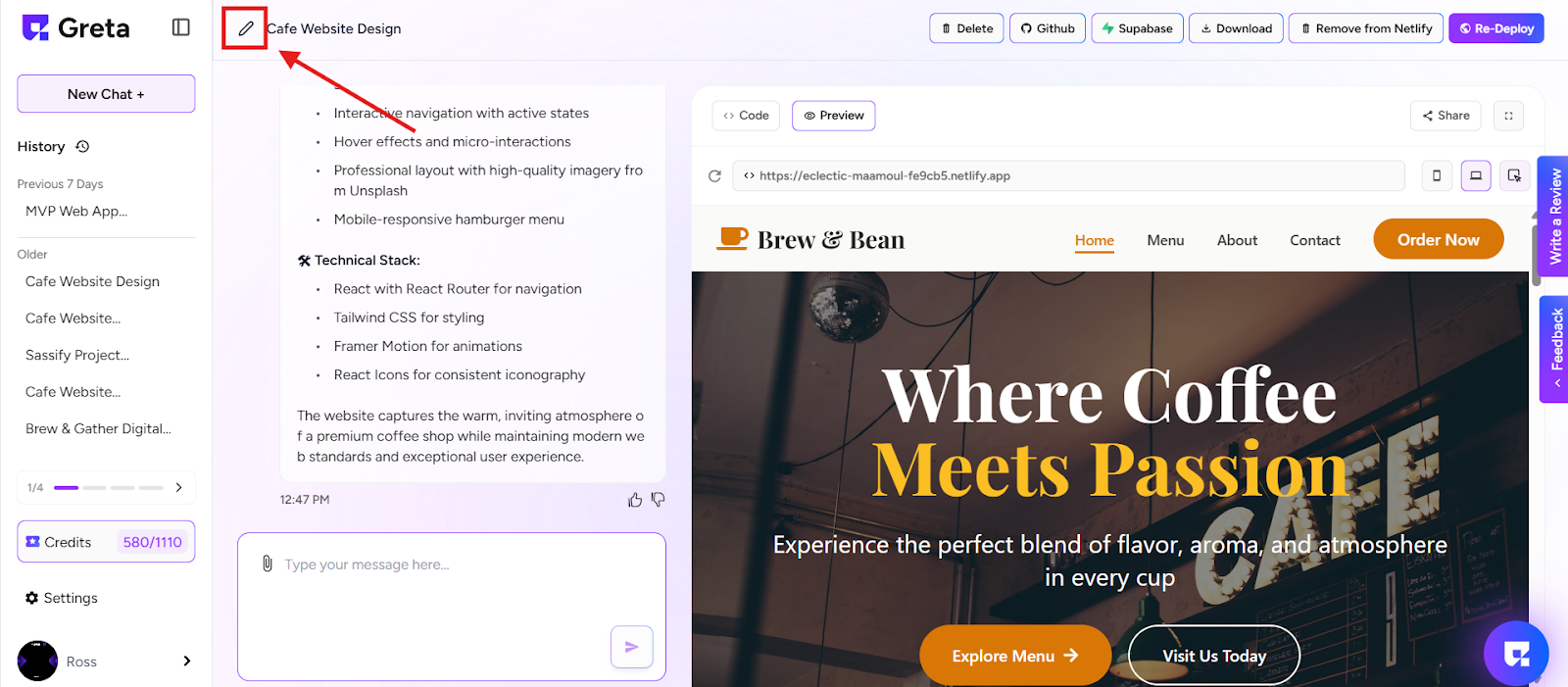
3. At the top-right corner of the screen, next to your project name, you'll see a pencil icon 🖉 (edit button).
4. Click on this edit icon.
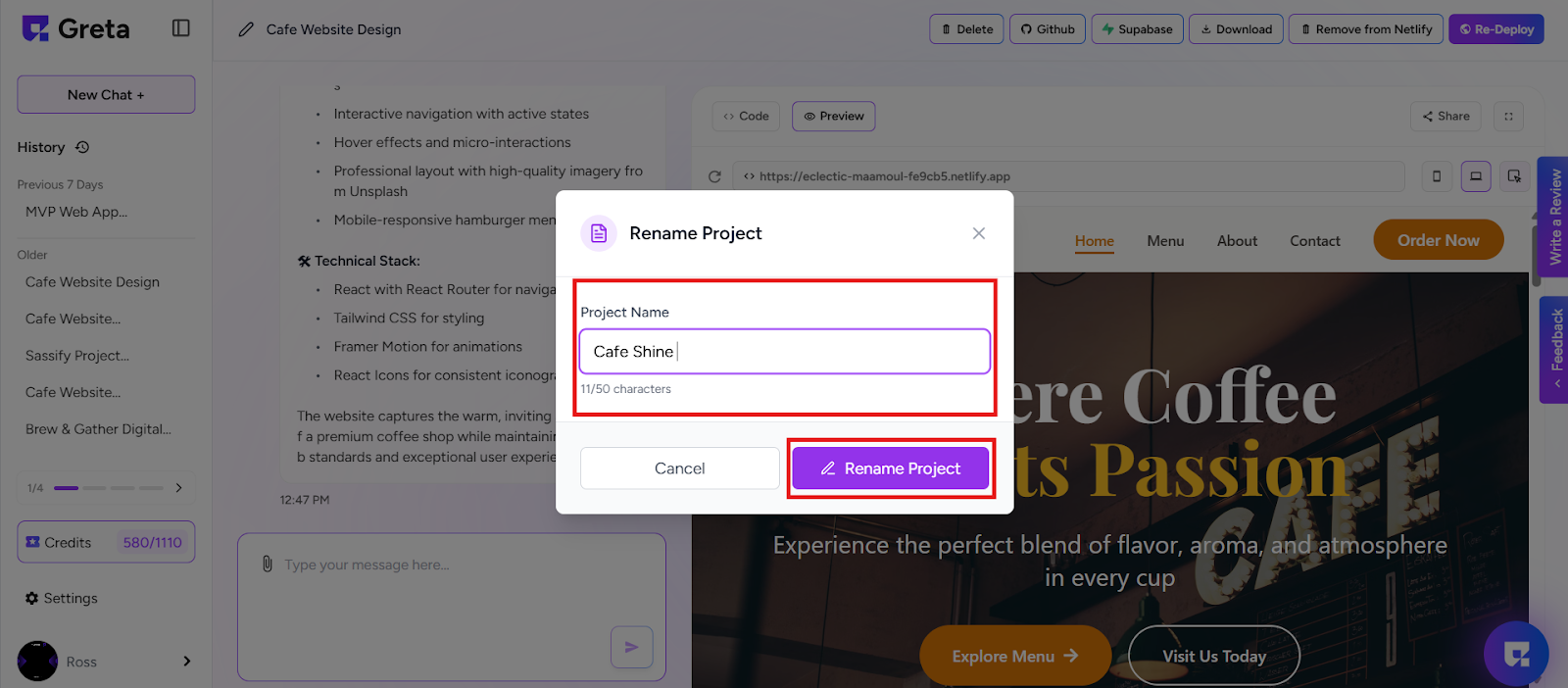
5. Type your new desired project name in the field.
6. Click on “Rename Project”.
Done!
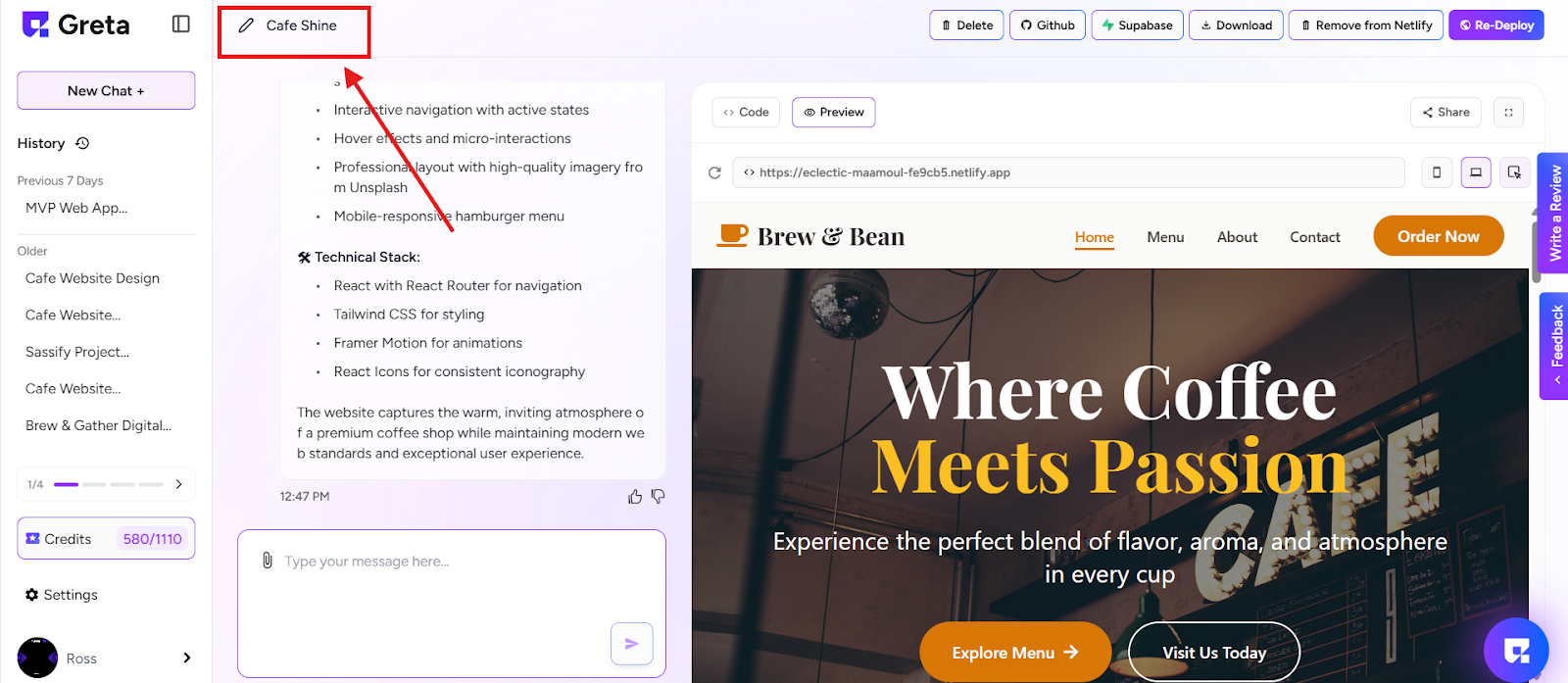
7. Your project name is now successfully updated.
If you can describe it, you can build it.