GitHub Integration & Deployment

How do I select specific files to commit to GitHub?

Learn how to select specific files to commit to GitHub.

How do I select specific files to commit to GitHub?

Doc41Image1

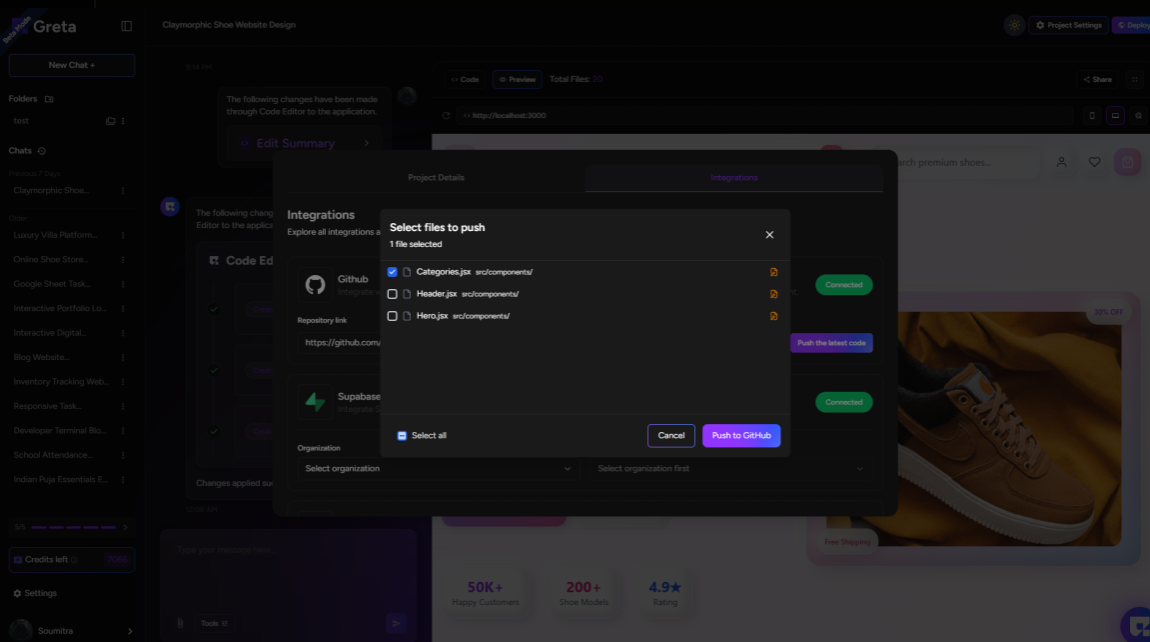
To select specific files to commit to GitHub:

  • Click Project Settings on the right side
  • Go to the Integrations tab
  • Check if GitHub is connected to your project
  • Click Push the latest code
  • You'll see "Select files to push" - choose specific files or "Select all"
  • Click Push to commit to GitHub

It's that simple and easy!

Build Something Real

If you can describe it, you can build it.