Home / Blog / How to Build Custom Workflow Automation Tools Without Code
How to Build Custom Workflow Automation Tools Without Code
Answer first: Build custom workflow automation tools without a developer by mapping the actual steps first — who does what, in what order, what triggers the next step — then choosing a business workflow tool that can hold conditional logic and multiple approvers, not just a linear automation chain. Simple "if this, then that" automation tools handle basic custom workflows fine; anything with branches, approvals, or exceptions usually needs a real app with its own logic layer.
One workflow I reviewed relied on a spreadsheet for tracking, Slack for approvals, and email for follow-ups. It wasn't the work itself that was slow, it was everyone trying to figure out what happened next.
Most workflow automation tools people reach for first - Zapier-style automation, a shared spreadsheet with a status column — work right up until the custom workflow needs a branch: an approval step, an exception path, a case where two different people need to sign off depending on the amount. That's usually the point a team looks for something more custom.
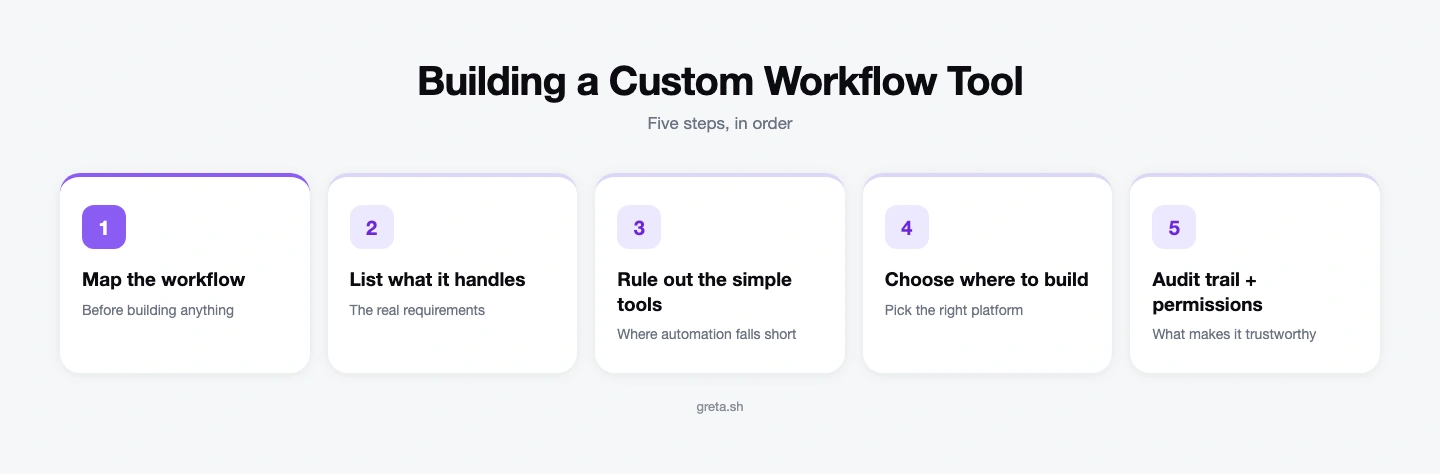
Step 1: Map your custom workflow before you build anything
Write out the actual steps as a flow, not a feature list: what starts it, who acts at each step, what decision they make, and what happens next depending on that decision. A reimbursement request, for instance, might flow: submitted → manager approval if under $500 → finance approval if over $500 → paid. If you can't draw your workflow on a whiteboard in five boxes, the tool you pick needs to support branching logic, not just a straight line.
Step 2: List what a business workflow tool actually needs to handle
- Multiple approvers or reviewers, sometimes conditional on the request — e.g., anything over $500 needs a second sign-off, or legal has to review anything mentioning a new vendor.
- State that persists — a request sitting "awaiting approval" for three days needs to still be there and remind someone, not disappear because a browser tab closed or the approver is on vacation.
- Notifications tied to state changes — the right person needs to know the moment it's their turn to act, not find out by checking manually or waiting on a Slack ping.
- An audit trail — who approved what, and when, especially for anything involving money, vendor contracts, or compliance.
When the workflow is still better served by connectors than by code, our Zapier alternatives guide covers that side, including the point where an automation has quietly become an application.
Most business workflow tools fall short on at least one of these the moment a workflow grows past two people.
Step 3: Rule out simple automation tools where they fall short
Zapier-style tools are built for triggers and actions in a mostly linear chain — great for "when X happens, do Y," weak at holding a multi-day approval state with branching logic and a full history. Teams often end up stacking three or four automation tools together to fake what a single custom-built app would do natively — see Webhooks and Third-Party APIs in AI-Built Apps for what that "stacked" pattern actually looks like under the hood, and why it gets fragile. From SaaS Sprawl to Custom-Built Tools walks through the exact moment teams decide the stack of automation tools has become more work to maintain than the workflow it was meant to simplify.
Got an idea? Build it now!
Just start with a simple prompt. No coding required: Greta.sh turns your idea into a working app in minutes.
Step 4: Choose where to build your custom workflow tool
| Approach | Handles branching approvals? | Persistent state? | Audit trail? | Best for |
| Zapier-style automation tool | No — mostly linear | No, not natively | Partial, scattered across each tool's own logs | Simple "when X happens, do Y" triggers |
| Shared spreadsheet + Slack | Manually, if someone remembers | Yes, but easy to lose track of | No — a status column isn't a log | Very small teams, very few requests |
| Custom-built app (AI app builder) | Yes, natively | Yes, by design | Yes — one record per state change | Any workflow with approvals, exceptions, or money involved |
Once a workflow needs branching approvals, persistent state, and a real audit trail, describing it in plain English to an AI app builder is usually faster than configuring three automation tools to approximate the same thing — you get one system with real logic instead of a chain of triggers held together with webhooks. Scheduled reminders and recurring workflow steps are exactly the kind of thing covered in Background Jobs and Scheduled Tasks in AI-Built Apps. Greta.sh's Starter plan begins at an introductory $5/month (normally $20/month), with Pro at $20/month (normally $50/month) for more advanced building features, and Business at $200/month for production teams, so you can start small and scale as your workflows become more complex.
How to choose, quickly:
- Genuinely linear ("X happens, do Y," done) — a Zapier-style automation tool is enough.
- Low-volume and everyone reliably checks the spreadsheet — that can limp along a little longer.
- Branches, approvals, or money/compliance riding on it — build a custom workflow tool instead of stacking automations. This vendor lock-in and data ownership checklist is worth reading before you commit a platform to something central to how the business runs.
Step 5: Add the audit trail and permissions that make it trustworthy
Every state change — submitted, approved, rejected, paid — should log who acted, what they decided, and when, as its own record rather than overwriting a single status field. Pair that with role-based permissions so only the right people can approve, edit, or delete a request in the first place. Greta.sh's guide to role-based access covers the underlying patterns — admin, approver, requester roles, scoped by record — worth copying regardless of which tool you build the workflow in.
Workflow automation examples worth going custom for
- Expense/reimbursement approval — submitted → manager sign-off under a threshold → finance sign-off above it → paid, with a full trail for audits.
- Vendor or contract onboarding — request → legal review → procurement approval → signed, often with a different approver depending on contract value.
- Employee offboarding — HR triggers it → IT revokes access → finance stops payroll → manager confirms equipment returned, each step owned by a different person.
- Content or campaign approval — draft → reviewer feedback → compliance check (in regulated industries) → publish, with the ability to reject back a step instead of only moving forward.
Each of these is a business workflow tool problem, not an automation-chain problem, the moment more than one person has to weigh in.
Got an idea? Build it now!
Just start with a simple prompt. No coding required: Greta.sh turns your idea into a working app in minutes.
Common mistakes when building a custom workflow tool
- Picking the tool before mapping the flowchart — this usually means rebuilding the approval logic a second time once the real branches show up.
- Treating a status column as an audit trail — "status: approved" can't show who approved it or when it changed, which is the first thing an auditor or a frustrated exec asks for.
- Under-notifying — if the only way to know it's your turn is to remember to check the tool, the workflow quietly stalls within a month.
- Bolting approval logic onto a tool that was never built to hold it (a spreadsheet, a shared inbox) instead of a proper business workflow tool.
Frequently asked questions
What's the difference between an automation tool and a workflow tool?
An automation tool (like a Zapier-style chain) triggers an action when an event happens, mostly in a straight line. A workflow tool holds state across multiple steps — approvals, waiting periods, branches — and tracks where each request currently sits, which automation chains generally aren't built to do well.
Can I build an approval workflow without a developer?
Yes — the requirement is mapping the approval logic clearly (who approves, in what order, under what conditions), then using a no-code tool or AI app builder that supports conditional branching and persistent state, not just a linear trigger.
What are some workflow automation examples that need a custom tool?
Expense approvals with dollar-based sign-off tiers, vendor and contract onboarding with legal and procurement review, employee offboarding across HR, IT, and finance, and content or campaign approvals with a compliance check are common workflow automation examples. Each involves more than one approver and a real audit trail — the point where linear automation chains stop being enough.
Why does my Zapier-based workflow keep breaking?
Usually because the workflow has grown branches — conditional approvals, exceptions, multiple paths — that a linear trigger-based tool wasn't designed to hold, so teams end up stacking additional automations to patch the gaps, which is fragile by nature.
How do I add an audit trail to a custom workflow tool?
Log each state change (who acted, what they decided, and when) as its own record tied to the request, rather than overwriting a single "status" field — that history is what makes an audit trail possible after the fact.
Explore more
See Webhooks and Third-Party APIs in AI-Built Apps, Background Jobs and Scheduled Tasks, Greta.sh's guide to role-based access, or check Greta.sh for ops teams.
Last updated: August 12, 2026.