Quick answer
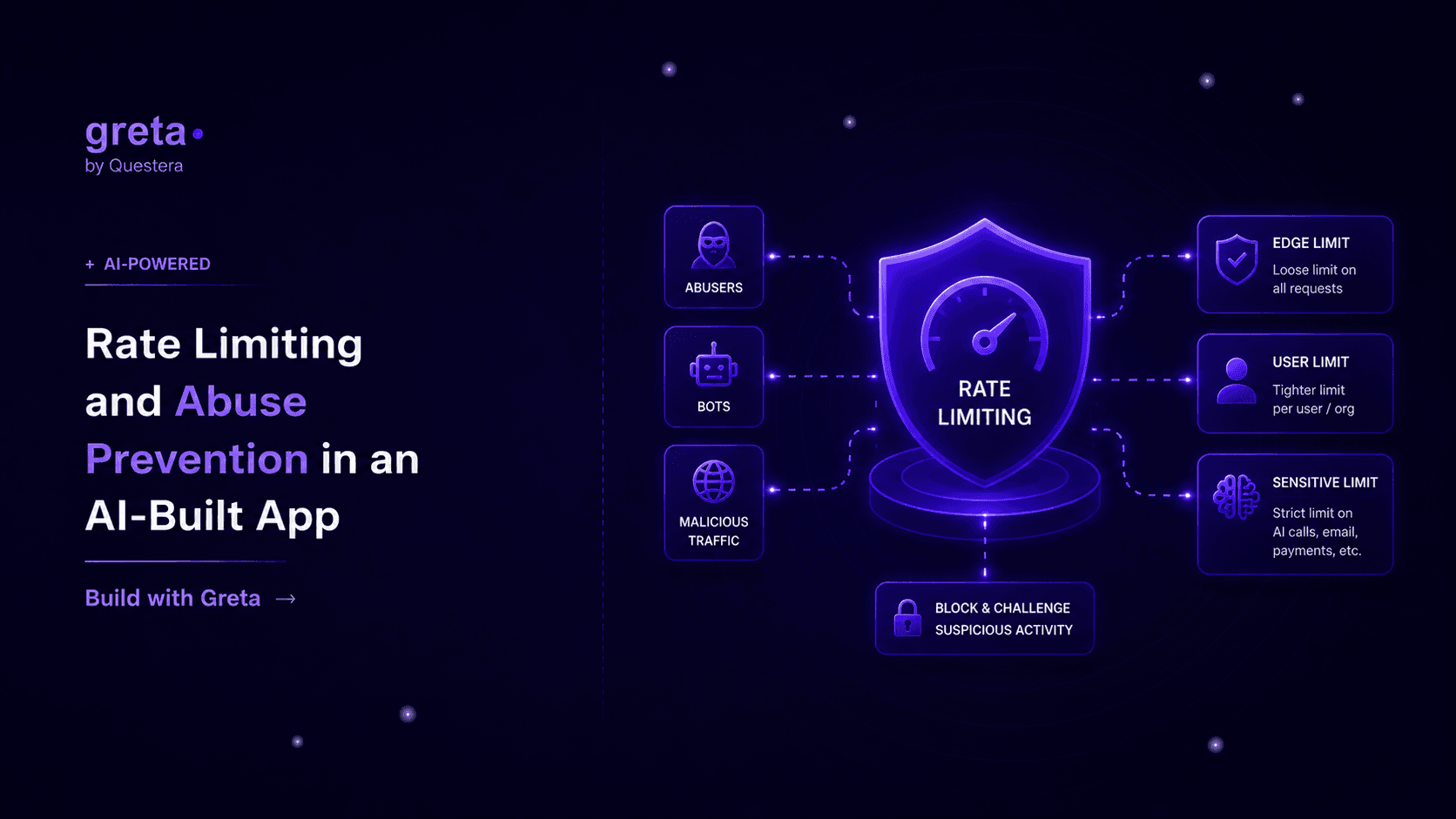
Rate limiting isn't one setting you flip on — it's a handful of small, layered checks: a per-IP limit at the edge, a per-user limit on expensive endpoints, and a separate, tighter limit on anything that touches an LLM call or sends email. Skip it and the first bot that finds your signup form will happily create ten thousand accounts before lunch.
Why this gets skipped until it hurts
Nobody rate-limits their app on day one. You're testing with three browser tabs and a Postman collection, and every request looks legitimate because it is. Then the app goes live, and within a week someone's script is hammering your /api/login route trying every password in a leaked list, or a competitor's scraper is pulling your entire product catalog through an unauthenticated endpoint.
I've watched this happen to a founder who launched a waitlist page on a Friday and woke up Monday to eleven thousand fake signups from the same three IP ranges, all trying to grab referral bonuses. The fix took twenty minutes. The cleanup took the rest of the week.
The endpoints that get hit first
Attackers don't scan randomly — they go for the routes that are cheap for them and expensive for you. Login and signup (credential stuffing), password reset (email bombing), search (database load), and anything that calls out to an AI model or a paid third-party API (straight-up cost abuse). If your app has a "generate" button that hits an LLM, that button is the single most valuable target on the whole site to someone who wants to run up your bill.
What actually stops it
A rate limiter is just a counter with a time window, but where you put the counter and what you key it on changes everything.
Key by more than IP. IP-only limiting breaks the moment someone's behind a corporate NAT (you'll rate-limit an entire office) or an attacker rotates through a residential proxy pool (you won't catch them at all). Layer it: a loose IP-based limit as a first filter, then a tighter limit keyed on user ID or session for anything post-login, since that's a value an attacker can't spoof as easily.
Make the AI-calling routes the strictest ones. A typical API route might reasonably allow 100 requests a minute per user. A route that triggers a GPT-4 or Claude call should probably allow closer to 5–10, because each one costs you real money and a runaway script can burn a day's AI budget in about ninety seconds. Treat "calls a paid model" as its own tier, not a special case of your general API limit.
Fail closed on auth, fail open on browsing. If your rate limiter's storage (usually Redis) has a bad moment, decide in advance what happens: for login attempts, block by default when you can't check the count — better a false positive than an open door. For read-heavy pages like a public blog or product listing, fail open, since a rate limiter outage shouldn't take your whole site down over a page view.
Where the counter actually lives
In-memory counters don't survive a server restart or work across multiple server instances, so the counter needs to live somewhere shared — Redis is the standard choice, with a sliding-window or token-bucket algorithm and a short TTL on each key so old counts expire on their own. Upstash's Redis works well here specifically because it's usable from edge functions without connection-pooling headaches, which matters if you want to block abuse before it reaches your main application logic at all.
Got an idea? Build it now!
Just start with a simple prompt. No coding required: Greta.sh turns your idea into a working app in minutes.
A comparison: naive vs. layered rate limiting
| Concern | Single global limit | Layered, endpoint-aware limits |
|---|---|---|
| Login brute-force | Same budget as browsing pages | Tight limit, keyed on IP + username pair |
| AI/LLM-calling routes | No special treatment | Its own strict tier, separate from general API |
| Legitimate power users | Get throttled with everyone else | Higher limits once authenticated and trusted |
| Cost exposure | Unbounded until someone notices the bill | Capped close to the source |
| Ops overhead | Low — one rule | Slightly more rules, but each is simple |
Where this lives in a Greta.sh-built app
Since a Greta.sh-scaffolded app runs on Next.js with a real backend, rate limiting sits in the same place any production safeguard does — middleware or API route handlers, not bolted on as an afterthought. It pairs naturally with the queued-job pattern from running background jobs and scheduled tasks: once a request passes its rate check, expensive work like an AI generation or a bulk email send can still be pushed onto a queue instead of run inline, so a burst of legitimate traffic degrades gracefully instead of timing out.
If your app accepts inbound webhooks, the same instinct applies there too — rate limiting is the first line of defense, and signature verification (covered in connecting webhooks and third-party APIs) is the second. You want both, because a valid-looking but unsigned flood of requests should never reach your business logic in the first place.
FAQ
Do I need rate limiting before I have real users? You need it before you have a public URL. Bots find new domains within hours, not weeks, and a signup form or contact form with no limit is an open invitation regardless of how much traffic you think you have.
What's a reasonable limit for a typical API route? There's no universal number, but a common starting point is somewhere around 60–100 requests per minute per authenticated user for normal routes, and single digits per minute for anything expensive. Watch your actual traffic for the first month and tighten from there — it's easier to loosen a limit that's too strict than to clean up after one that was too loose.
Will rate limiting annoy legitimate users? Only if you set it too aggressively or key it wrong. A generous limit that only kicks in during clear abuse patterns is invisible to real users. The complaints usually come from IP-only limits catching shared networks, which layered, user-aware limiting avoids.
Is a CAPTCHA enough on its own? No — CAPTCHAs stop unsophisticated bots but do nothing against a determined attacker with solving services, and they add friction for every real user. Use rate limiting as the actual defense and a CAPTCHA as one extra speed bump on your highest-risk forms, not a replacement.
Got an idea? Build it now!
Just start with a simple prompt. No coding required: Greta.sh turns your idea into a working app in minutes.
Closing
Rate limiting is one of those things that's boring right up until the moment it isn't, and by then you're reading logs at 2 a.m. trying to figure out why your AI bill has a fourth digit it shouldn't. Put a counter in front of your auth routes and your AI-calling routes before launch, key it on something an attacker can't cheaply spoof, and it quietly does its job while you focus on everything else.