Collaboration & Brainstorming
What is Discussion Mode and how do I use it to brainstorm ideas?
Learn how to use Discussion Mode to brainstorm ideas.
What is Discussion Mode and how do I use it to brainstorm ideas?
Discussion Mode is a specialized feature that lets you brainstorm features and ideas with Greta.sh before writing any code. It's designed for planning, conceptual conversations, and collaborative ideation - perfect for working through complex requirements and planning your project architecture.
How to Use Discussion Mode:
1. Access Discussion Mode
- In the Greta.sh chat section, click on "Tools"
- Select "Discussion" from the available options
- The mode will activate and show a visual indicator in your chat
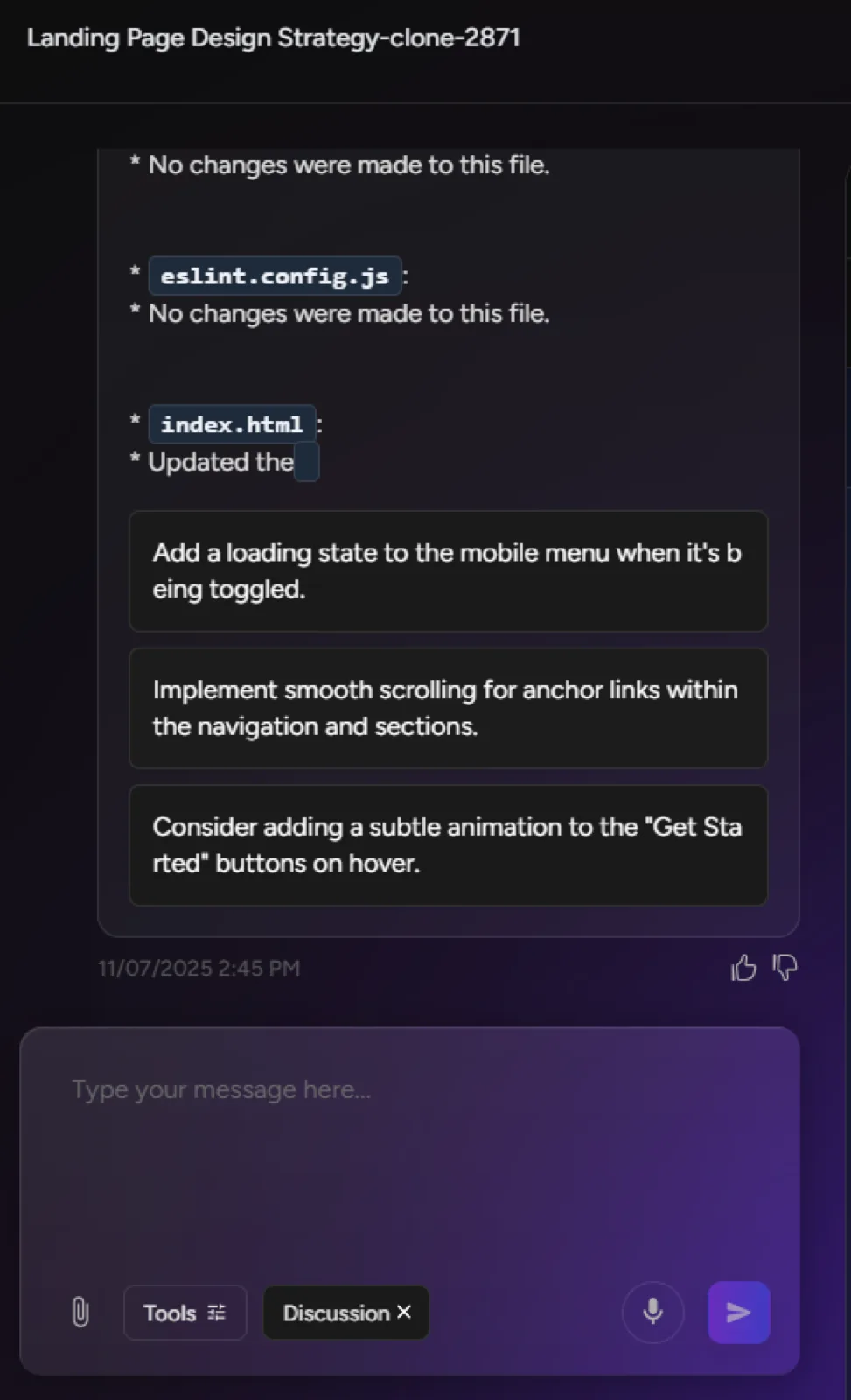
2. Start Brainstorming
- Once Discussion Mode is active, you can:
- Discuss feature ideas and requirements
- Plan project architecture and structure
- Work through complex logic and user flows
- Brainstorm design approaches and solutions
- Greta.sh will engage in conceptual conversations without immediately generating code
3. Toggle Between Modes
- Discussion Mode can be easily turned on/off as needed
- When you're ready to start building, simply toggle it off
- Switch back to regular coding mode to implement your discussed ideas
Key Features:
- Early Planning Focus: Perfect for requirement gathering and project scoping
- No Immediate Code Generation: Pure discussion environment for clear thinking
- Flexible Switching: Move between discussion and coding as your workflow requires
Perfect For:
- Planning complex feature implementations
- Discussing architectural decisions
- Brainstorming user experience flows
- Working through technical challenges conceptually
Discussion Mode transforms Greta.sh from just a code generator into a true thought partner, helping you think through ideas before committing to implementation!