Deployment & Hosting

How to integrate GitHub with my Greta project?

Connect your Greta project to GitHub for version control, collaborative development, and automated deployments.

How to integrate github with my Greta project?

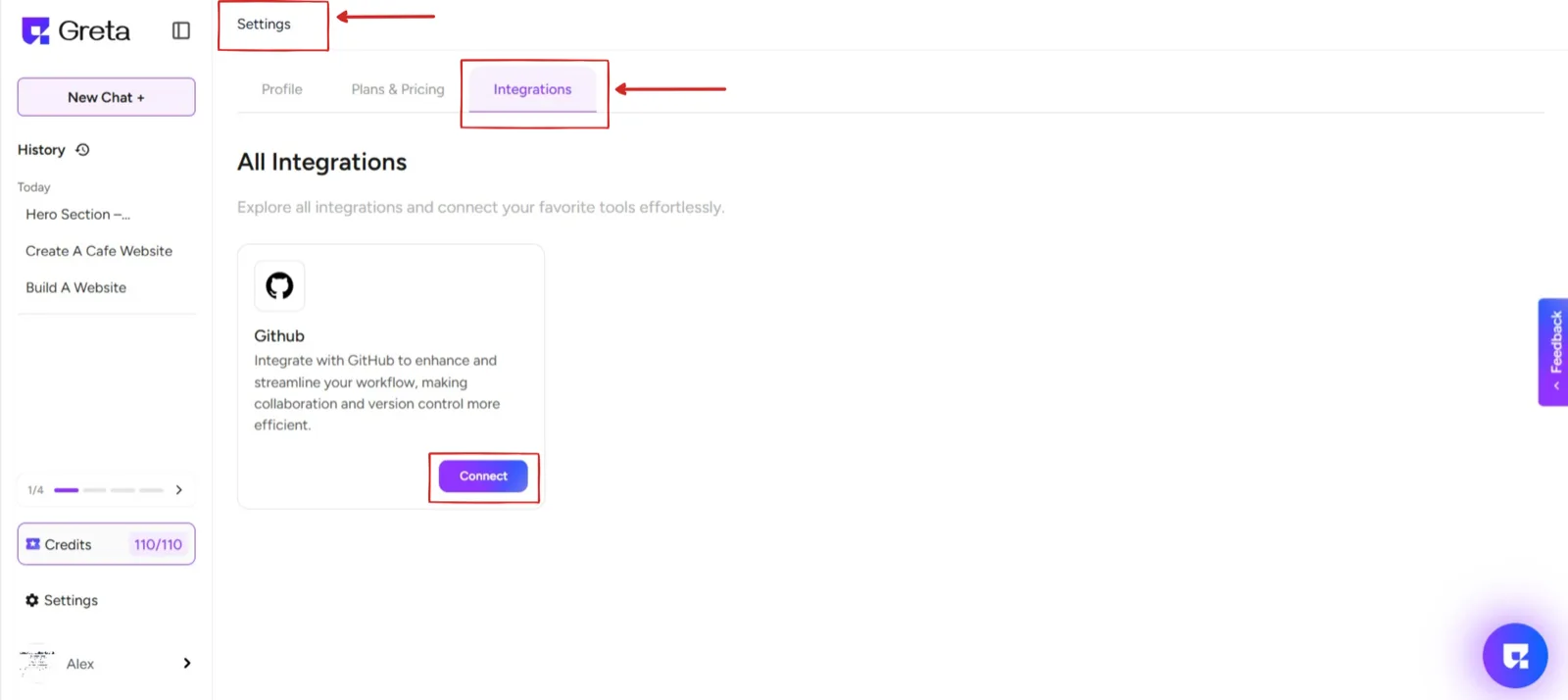
Step 1: Open Settings in Greta

  • In the left-bottom corner, click on Settings.
  • Navigate to the Integrations section.

Step 2: Connect GitHub

  • Find the GitHub option under Integrations.
  • Click on Connect.
Doc11Image1

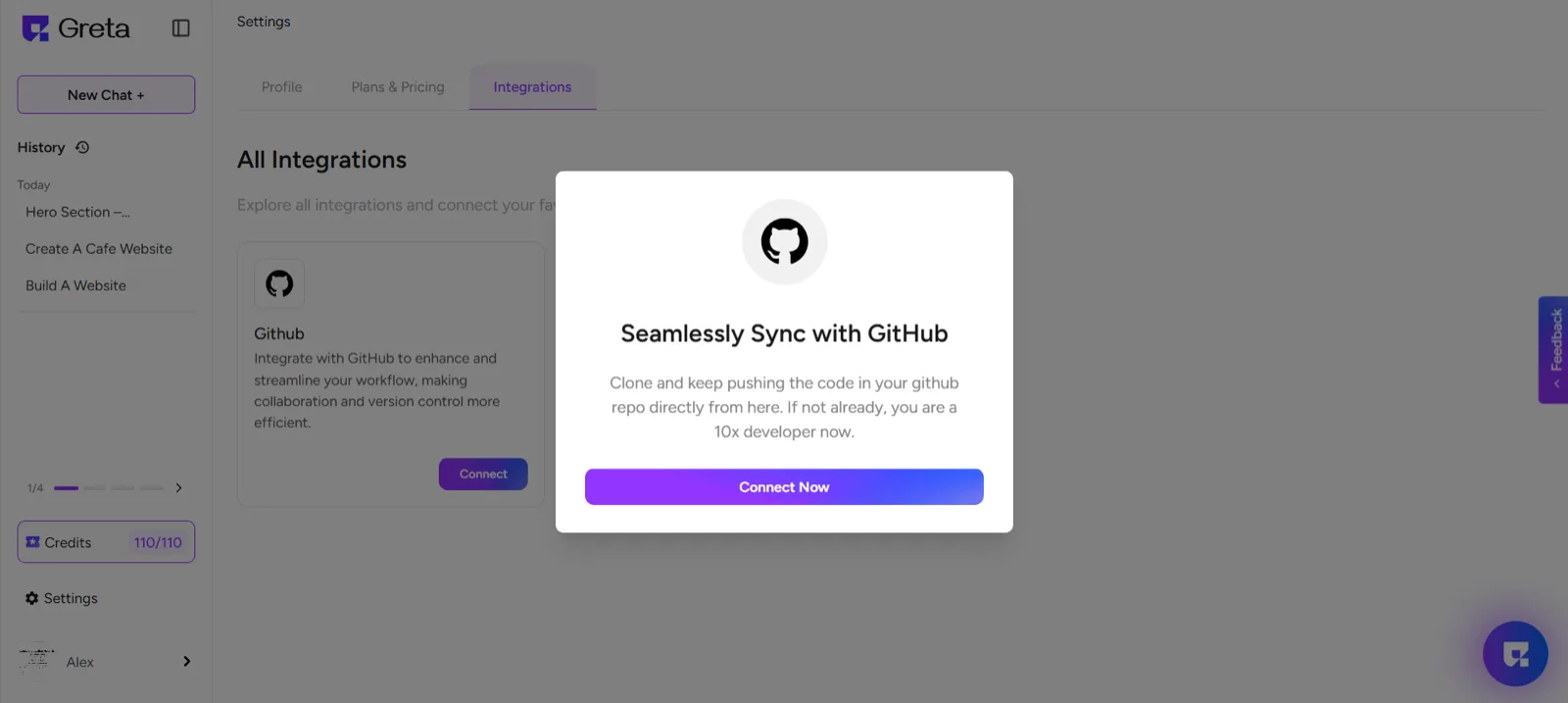
Step 3: Log in to GitHub

  • A new window will open, asking you to log in to your GitHub account.
  • Enter your credentials and sign in.
Doc11Image2

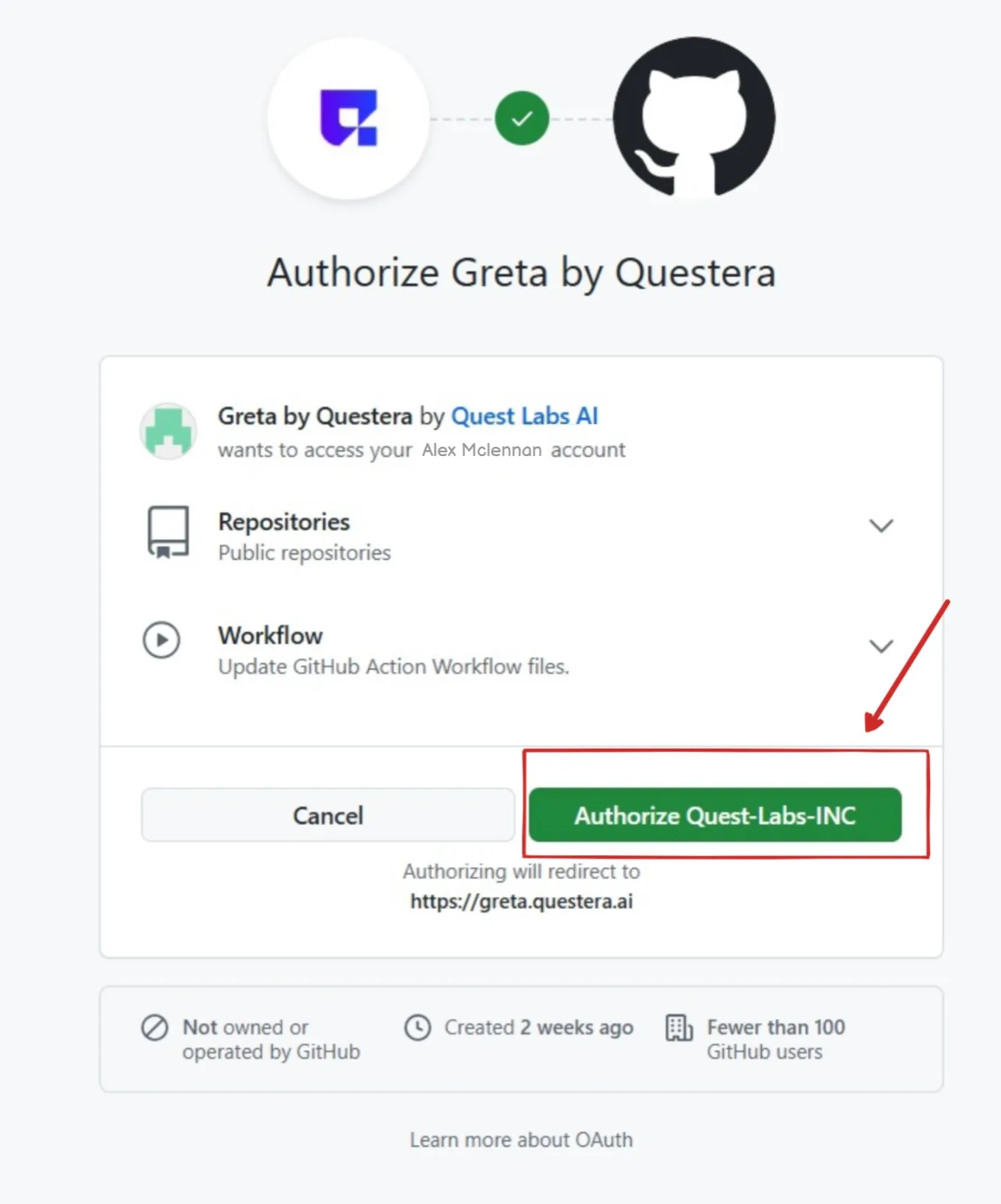
Step 4: Authorize Greta

  • You will see a request to authorize Quest Labs (Greta’s platform).
  • Click on Authorize Quest Labs to grant access.
Doc11Image3

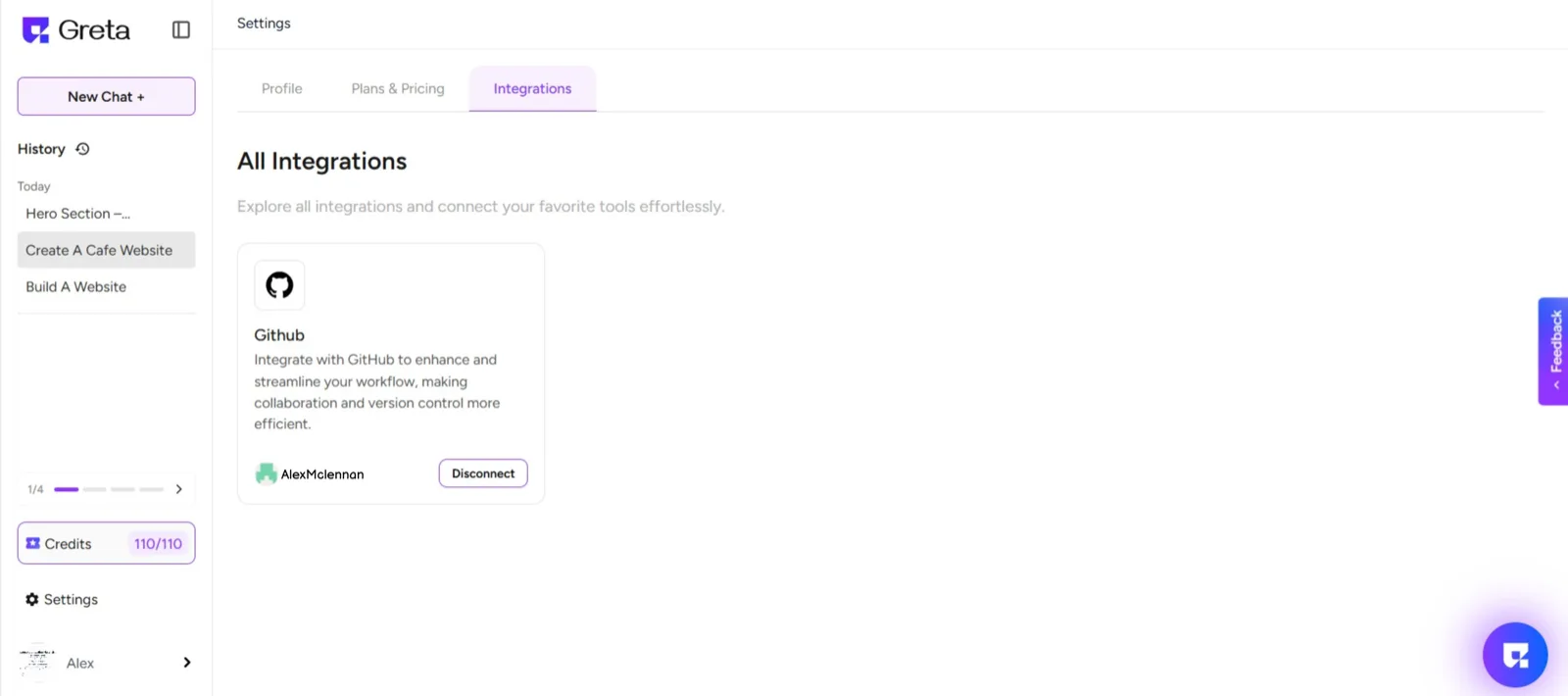
Step 5: Integration Successful!

  • Once authorized, you will see that your GitHub is now integrated with Greta.
  • You can now push, pull, and manage your code directly from Greta.
Doc11Image4

Build Something Real

If you can describe it, you can build it.