Project Management & Organization
Project setting in greta
Learn how to manage your project settings in greta.
Project setting in greta
The Project Settings panel is a centralized control center for managing all aspects of your Greta.sh project. Located in the top-right corner of your project screen, it consolidates project management, integrations, and configuration options in one easy-to-access location.
What You Can Do in Project Settings:
1. Project Details Tab
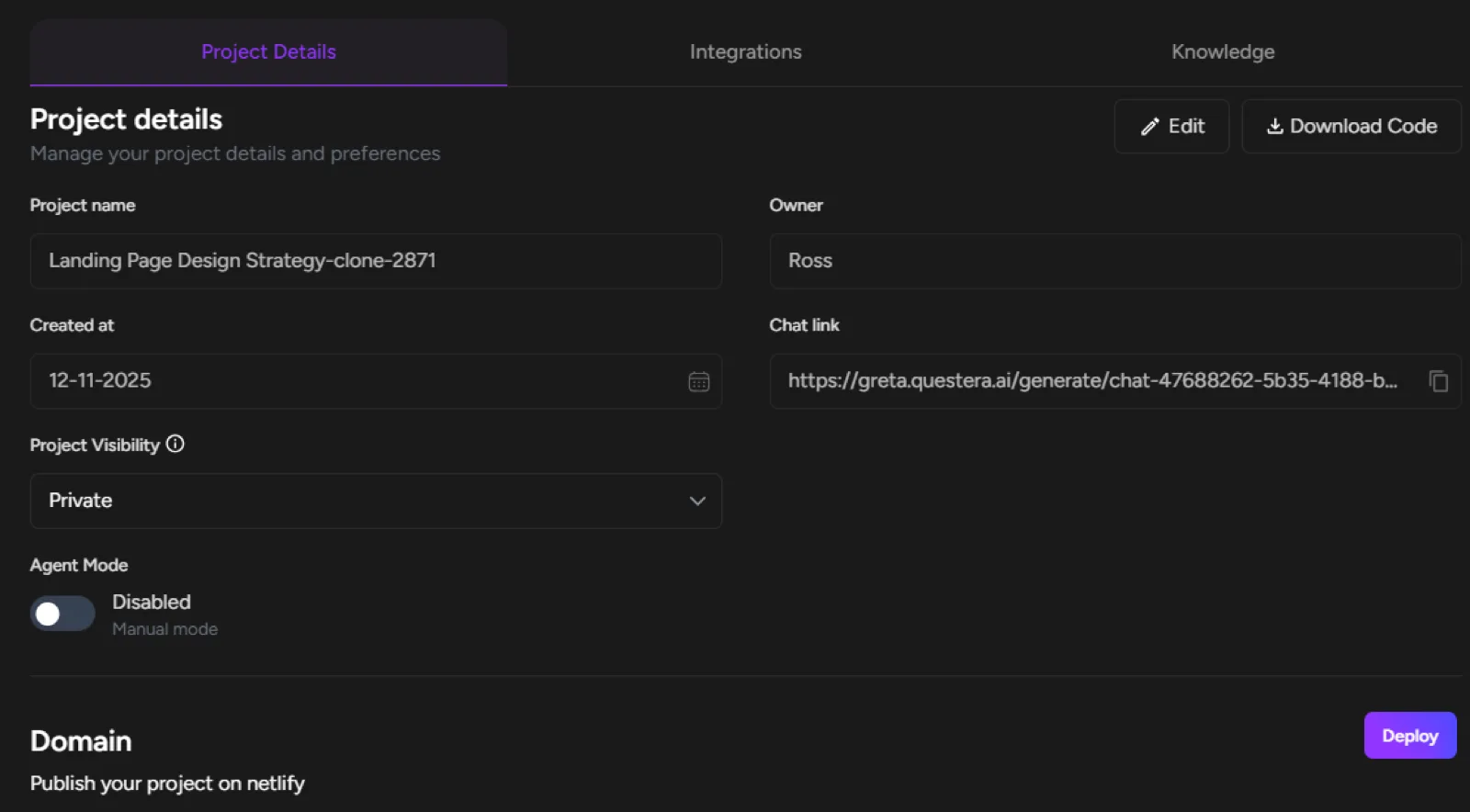
- Edit Project Name: Change your project's display name
- Download Code: Export your complete project source code
- View Project Information: See owner, creation date, and chat link
- Manage Project Visibility: Set project as private
- Control Agent Mode: Enable or disable Agent Mode for this project
- Domain Management: Deploy to Netlify directly
- Delete Project: Permanently remove project (irreversible action)
2. Integrations Tab
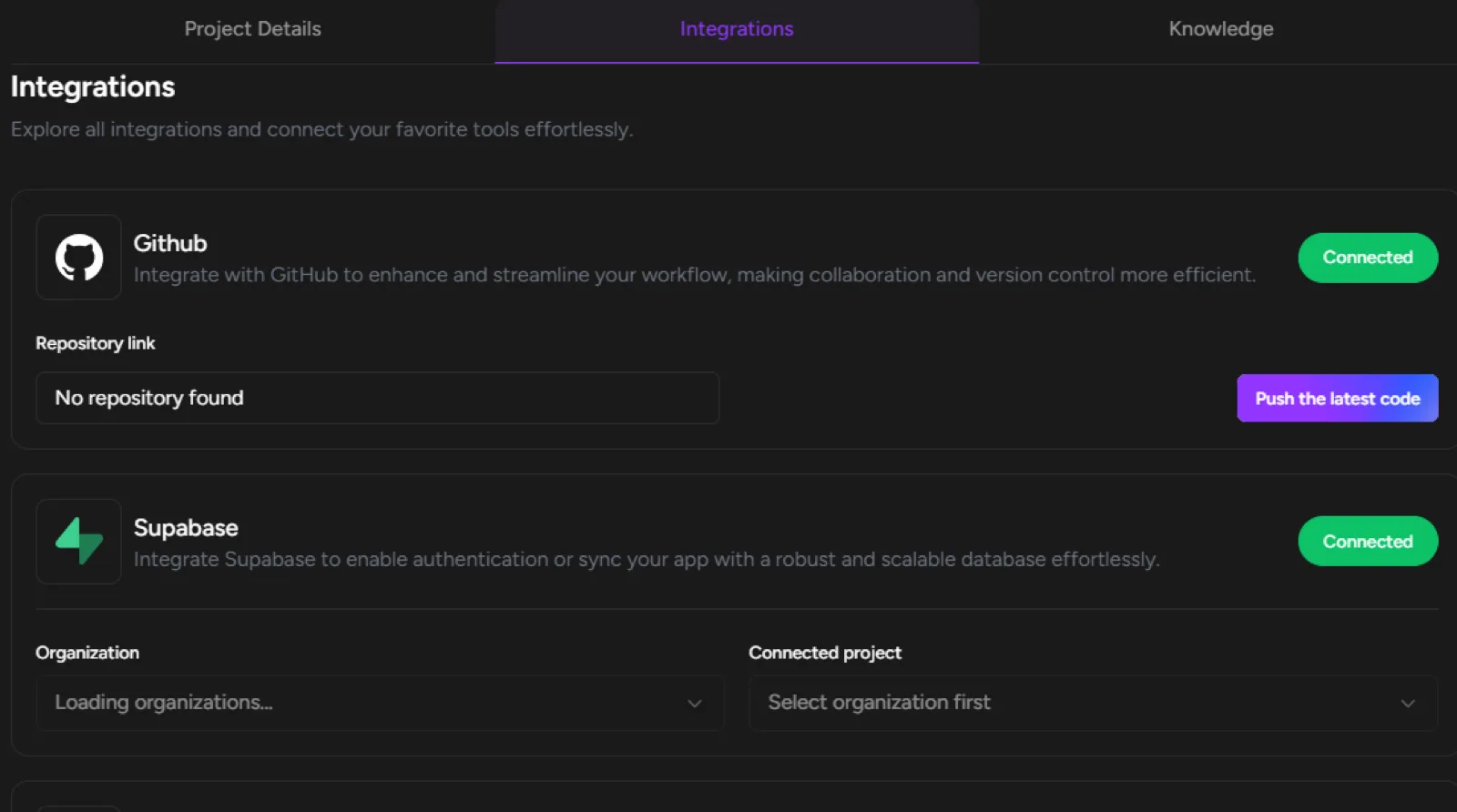
GitHub Integration:
- Connect/disconnect GitHub account
- View repository link
- Push latest code to GitHub
- Create new repositories
Supabase Integration:
- Connect to Supabase organizations
- Manage database projects
- Enable authentication and database features
Google Analytics:
- Add GA4 Measurement ID
- Set up tracking for user interactions
- Requires deployment first for live URL
3. Knowledge Tab
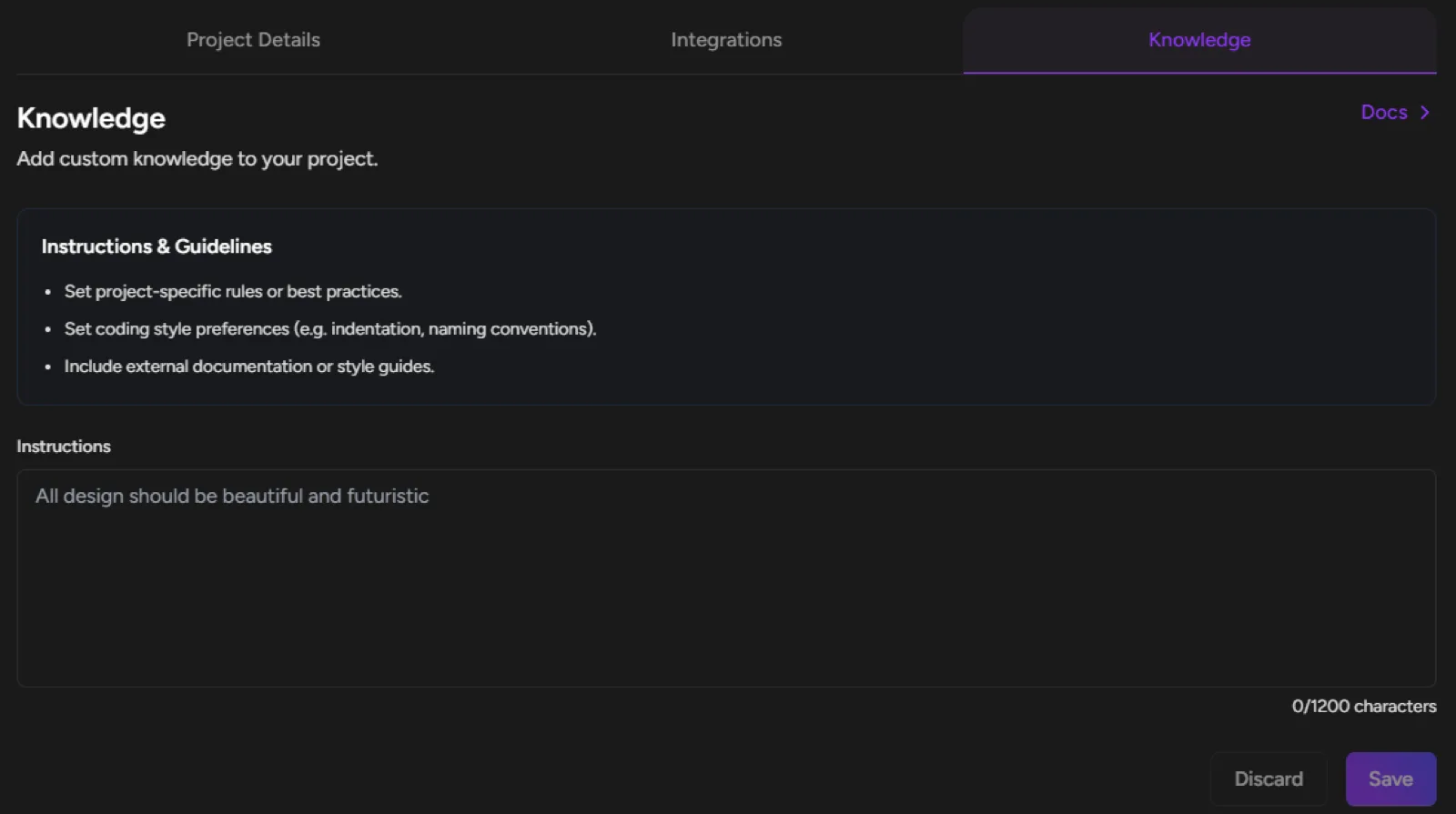
- Custom Instructions: Set project-specific rules and best practices
- Coding Preferences: Define indentation, naming conventions, style guides
- Documentation: Include external docs and style guides
- Brand Guidelines: Add design and voice preferences
Key Sections Within Project Settings:
Agent Mode Control
- Toggle between Enabled/Disabled states
- Switch between "Agent Mode" and "Manual Mode"
- Real-time status display
Deployment Management
- One-click Netlify deployment
- Domain configuration
- Deployment status monitoring
Version Control
- Access to version history
- Rollback capabilities
- Change tracking and documentation
File Management
- View all project files (typically 12+ files in standard projects)
- File creation and modification history
- Code structure overview
The Project Settings panel puts complete control over your project's configuration, integrations, and management in one convenient location, eliminating the need to navigate through multiple menus!