How to invite team members and manage access?
Learn how to invite team members, assign roles, transfer contribution access to editors, and take back control in Greta.sh.
How to Invite Team Members and Manage Access?
This guide explains how to invite team members to your Greta.sh project, assign roles, transfer contribution access to editors, and take back control whenever required.
Step 1: Open Team Settings
1. Log in to Greta.sh and open the project you want to collaborate on.
2. Click on Settings in the top-right corner of the project.
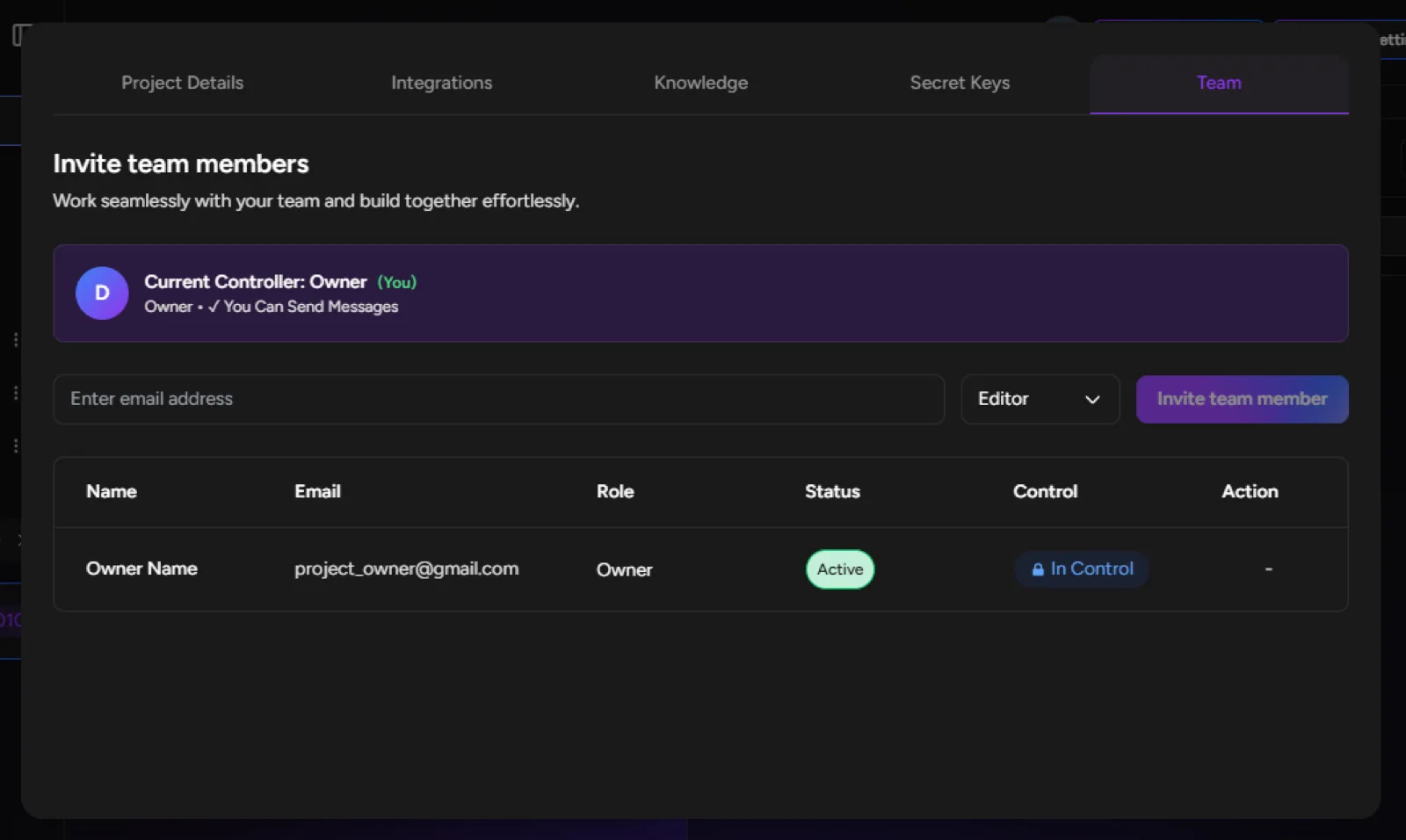
3. Navigate to the Team tab.
Step 2: Invite a Team Member
4. In the Team section, you will see an input field labeled Enter email address.
5. Enter the email address of the person you want to invite.
6. Select a role from the dropdown:
• Editor - Can contribute when access is granted
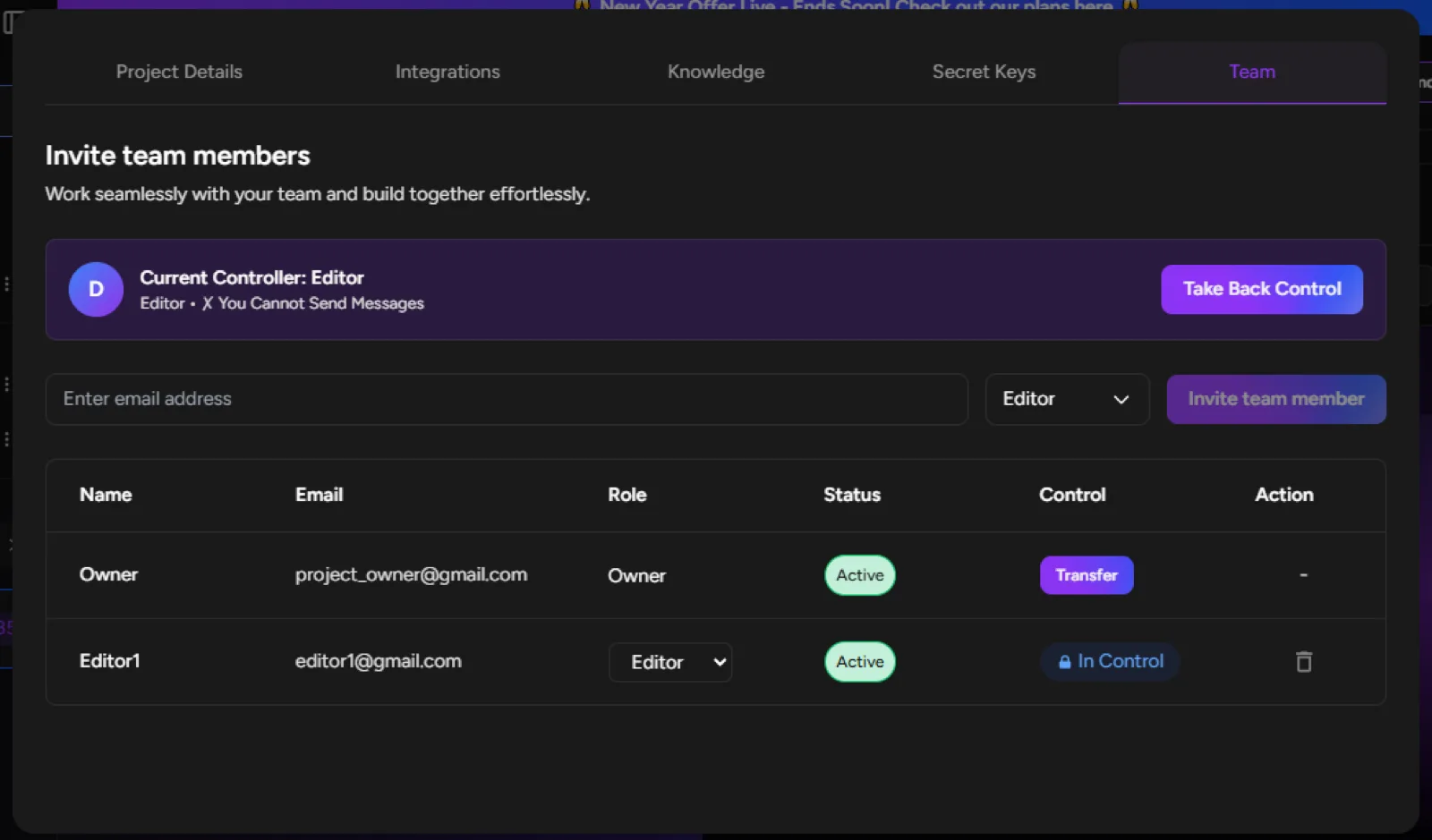
• Viewer - Read-only access
7. Click Invite team member.
8. Once invited, the user will appear in the team list with their assigned role and status.
Step 3: Understand Controller Status
9. At the top of the Team section, you will see the Current Controller banner.
10. This indicates who currently has contribution access to the project.
11. When the Owner is in control, editors cannot send messages or make changes.
Important: Editors can only send messages and make code changes when they have control. Without control, the project is in read-only mode for them.
Step 4: Transfer Access to an Editor
12. In the team members table, locate the Editor you want to give access to.
13. Click the Transfer button under the Control column.
14. Once transferred:
• The Editor becomes the Current Controller
• The Editor can send messages and contribute
• The project becomes locked for others, including the Owner
Step 5: Take Back Control
15. When an Editor is in control, the Owner will see a Take Back Control button.
16. Click Take Back Control to reclaim contribution access.
17. Once control is taken back:
• The Owner becomes the Current Controller
• Editors return to read-only mode
Done!
You now know how to invite team members, transfer contribution access, and manage control effectively using Greta.sh’s Team feature.