Project Management & Organization
What is the Knowledge Base?
Learn how to use the knowledge base to add custom instructions to your project.
What is the Knowledge Base?
The Knowledge Base is a powerful new feature that allows you to give Greta.sh custom knowledge, instructions, and context specific to each project. This enables Greta.sh to remember your brand voice, coding preferences, project rules, and documentation - making it feel tailor-made for your specific workflow and needs.
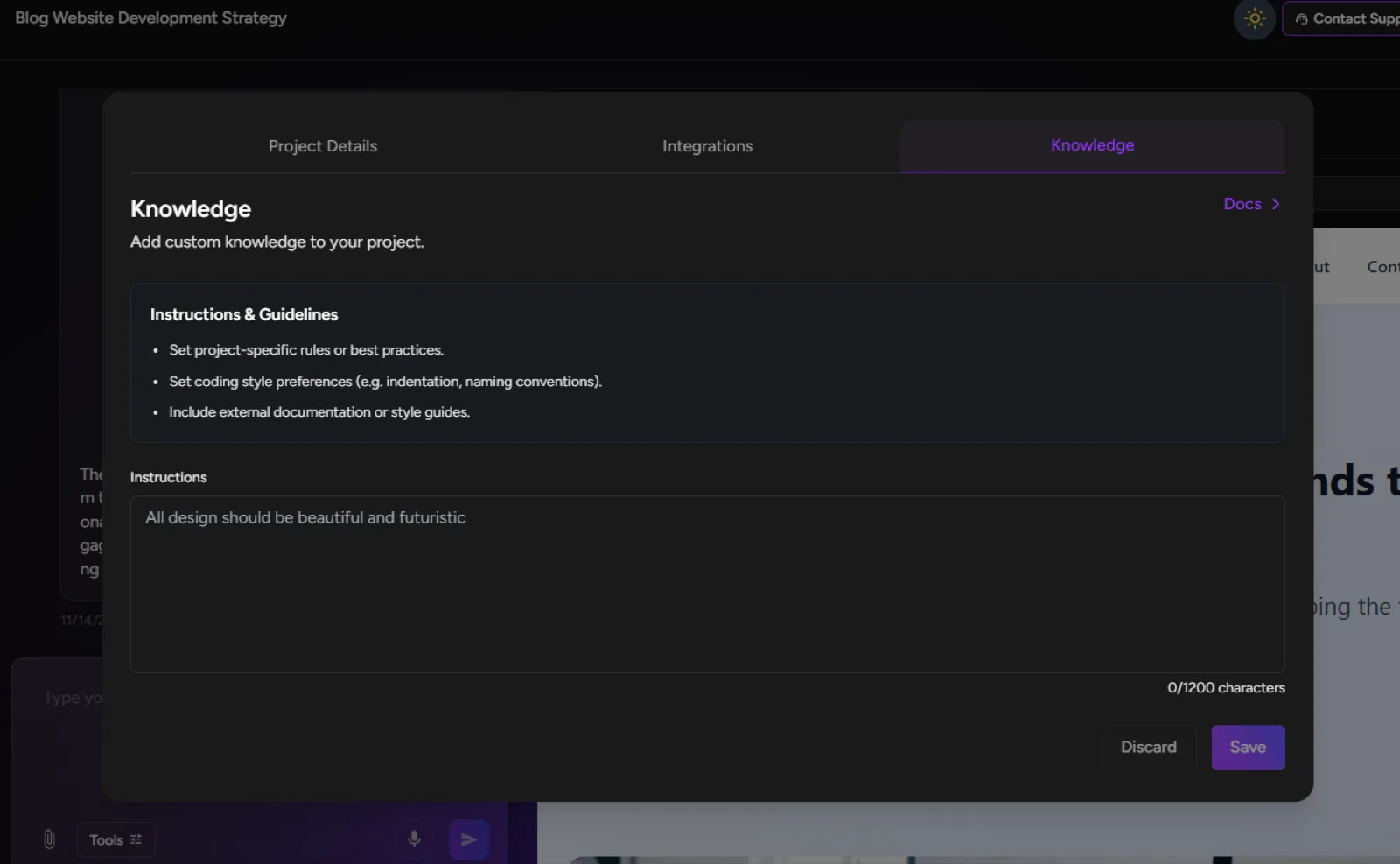
Step-by-Step Guide:
1. Access Project Settings
- Open the project where you want to add custom knowledge
- Click on the Settings button in the top-right corner of the interface
2. Navigate to Knowledge Section
- In the Settings menu, click on the "Knowledge" tab
- You'll see the Knowledge Base interface with two main sections:
- Docs - For adding documentation and reference materials
- Instructions & Guidelines - For setting rules and preferences
3. Add Instructions & Guidelines
- Click on "Instructions & Guidelines"
- Set project-specific rules or best practices
- Define coding style preferences (indentation, naming conventions)
- Add brand voice guidelines and tone preferences
- Include any specific requirements or constraints
4. Upload Documentation
- Click on "Docs" to add external documentation
- Upload style guides, API documentation, or reference materials
- Add notes about project architecture or specific patterns to follow
5. Save and Apply
- Once you've added your knowledge, save the settings
- Greta.sh will now remember and apply this context to all future interactions
- The knowledge persists across all sessions for this project
What You Can Add:
- Brand voice and tone guidelines
- Coding standards and style preferences
- Project-specific rules and requirements
- API documentation and integration guides
- Design system references
- Company-specific terminology and processes
Benefits:
- Consistent outputs aligned with your standards
- No need to repeat instructions in every chat
- Maintains brand voice across all generated content
- Understands your technical preferences automatically
- References your documentation without needing prompts
This feature transforms Greta.sh from a general AI assistant into your dedicated project expert who understands your unique requirements from the very first prompt!