Project Management & Organization
What is the project rollback feature and how do I use it?
Learn how to use the project rollback feature to revert to a previous version of your project.
What is the project rollback feature and how do I use it?
The project rollback feature allows you to revert your project to any previous version, acting as a safety net for your work. If recent changes caused issues or you simply want to return to an earlier state, rollback lets you restore your project to exactly how it was at any saved point in history.
Step-by-Step Guide:
1. Identify Need for Rollback
- Open the project you want to revert
- In the chat area, Greta.sh will recognize when you might need to go back
- Look for the "Revert to Previous Version?" prompt
2. Initiate Rollback Process
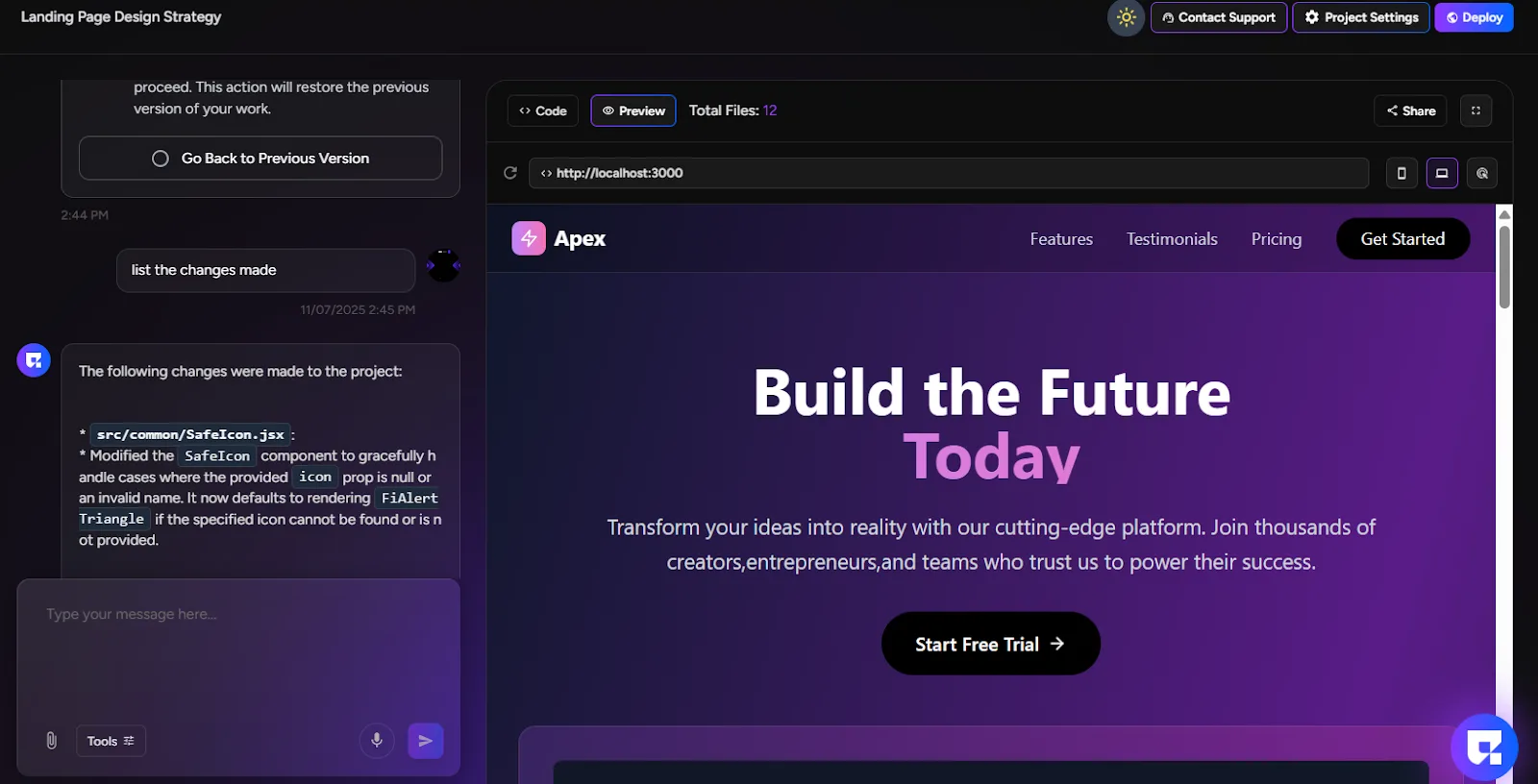
- Click "Go Back to Previous Version"
- A warning message will appear:
"Your current changes will be lost if you proceed. This action will restore the previous version of your work."
3. Confirm Rollback Action
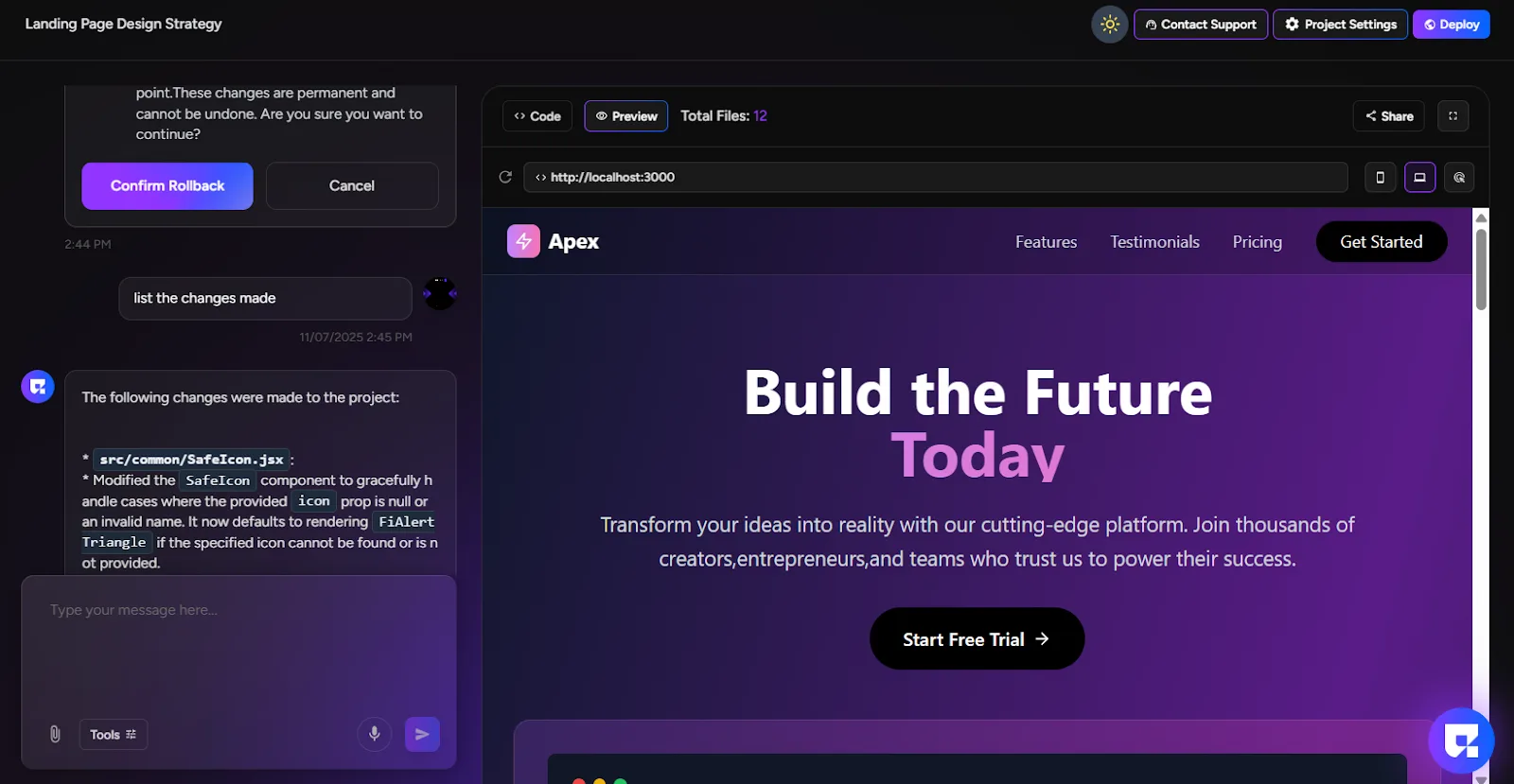
- A confirmation dialog will appear with the message:
"This action will delete all messages after this point. These changes are permanent and cannot be undone. Are you sure you want to continue?" - You have two options:
- "Confirm Rollback" - Proceed with the restoration
- "Cancel" - Keep your current version and continue working
4. Execute Rollback
- Click "Confirm Rollback" to proceed
- Greta.sh will begin loading the previous version
- You'll see a loading indicator during the process
5. Completion
- Once loading completes, your project reverts to the previous version
- All changes made after that point are permanently removed
- Your chat history is truncated to the rollback point
- You can continue working from this restored version
Important Notes:
- Rollback is permanent and cannot be undone
- All messages and changes after the rollback point are lost
- Always ensure you want to proceed before confirming
- Consider cloning your project before major changes as a backup