How do you preview your website before deployment?
Ensure your website looks and functions as expected by previewing changes before publishing it live.
How do you preview your website before deployment?
Step 1: Initiating the Build Process
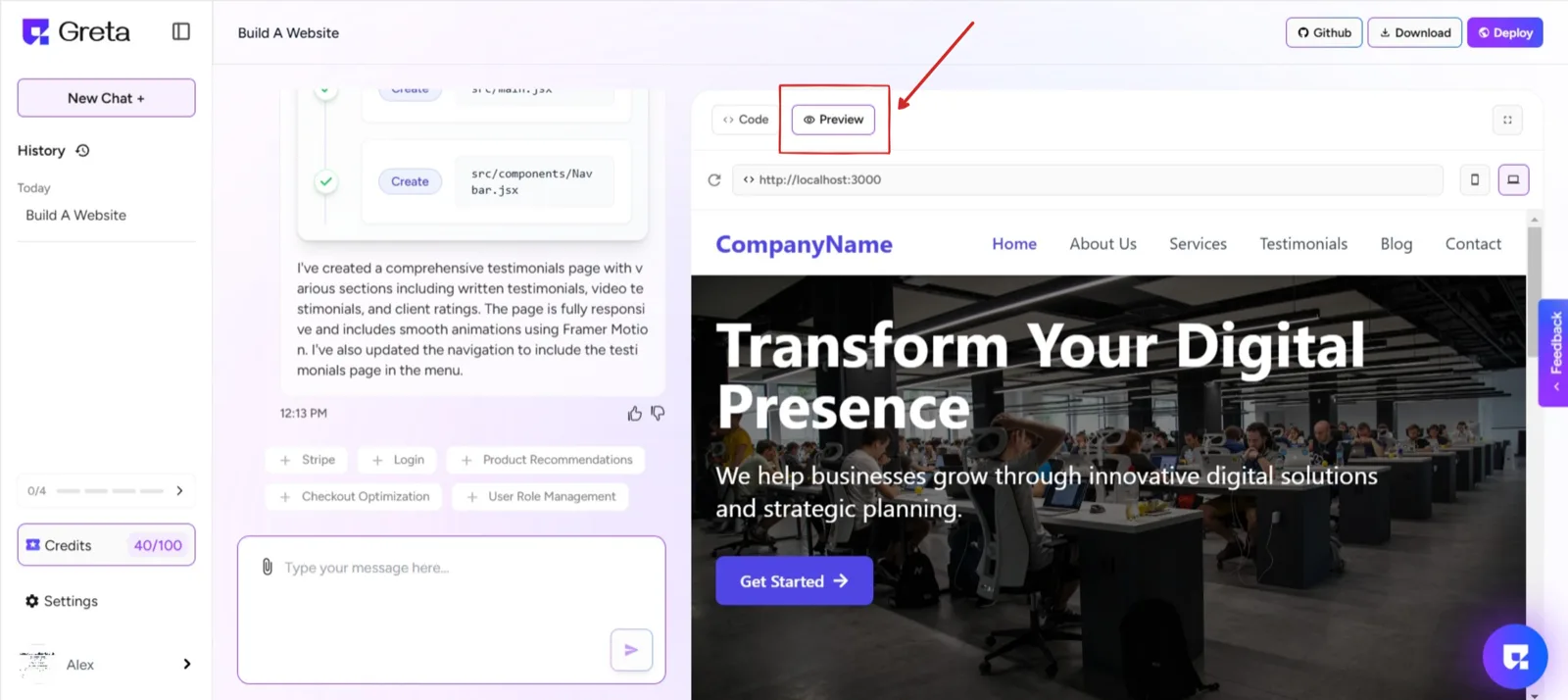
After entering a complete prompt on the landing page and clicking "Build," Greta.sh begins generating the website. During this process, a real-time progress page is displayed, showing the creation steps and the underlying code.
Step 2: Previewing the Website
Once the website is fully generated, a live preview appears on the right side of the screen. Users can review the design, layout, and functionality directly within this preview window.
Step 3: Preview and Deployment
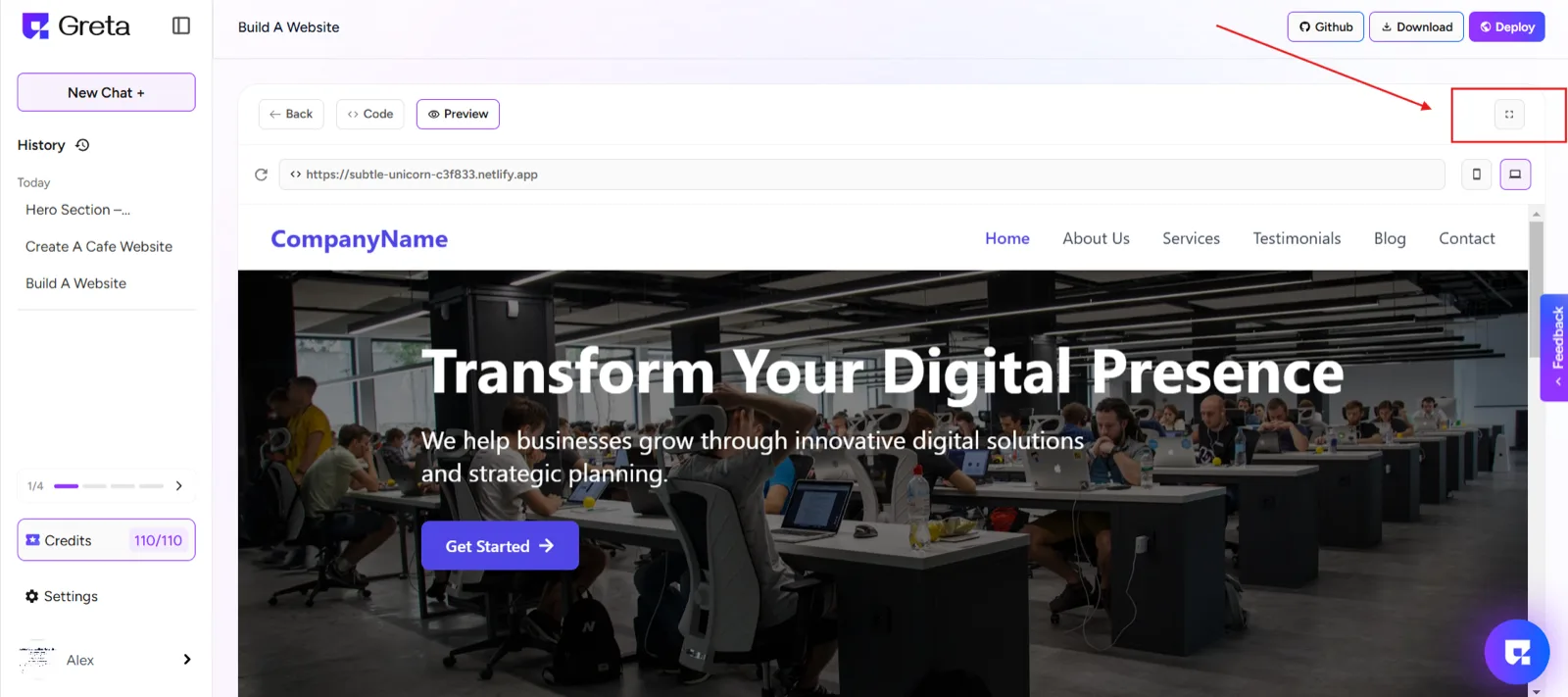
The button to the right of the "Preview" option allows you to toggle between different screen sizes. Clicking on it will expand the preview to a larger screen, helping you see the full website layout. Clicking it again will return the preview to a smaller screen within the interface. This is useful for testing responsiveness and viewing how the website appears on different screen sizes.Once satisfied with the final version, they can proceed with deployment.